https://blog.zeddro.com/post/audiocontext-fingerprinting-how-it-works-and-why-it-matters
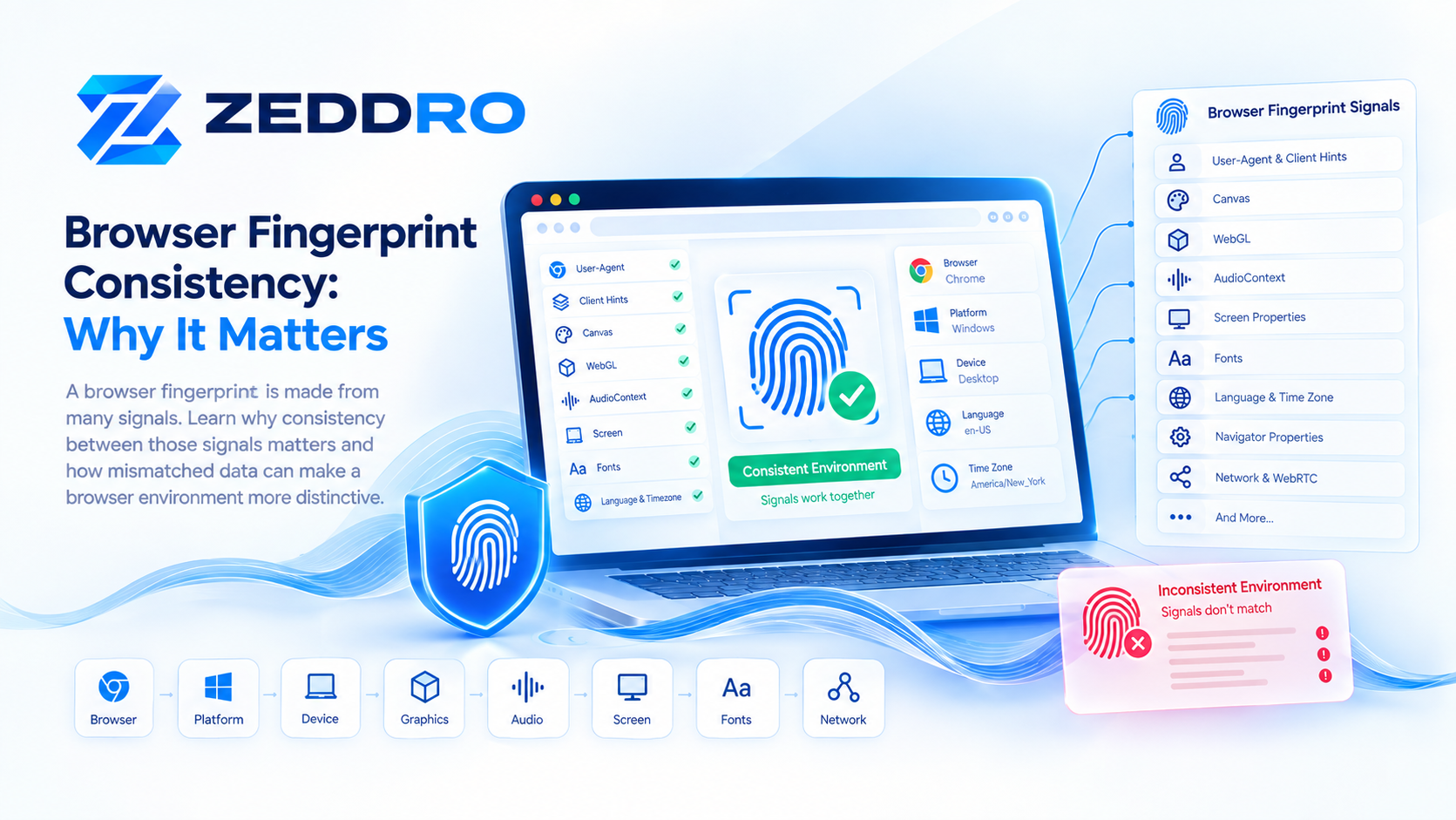
A modern browser fingerprint is not a single value.
It is a collection of characteristics that a website can observe from the browser, operating system, device, and surrounding environment.
These characteristics can include:
- Browser and browser version
- Operating system
- Client Hints
- Screen properties
- Canvas rendering
- WebGL characteristics
- Audio processing
- Fonts
- Language
- Time zone
- Navigator properties
- Hardware-related signals
- WebRTC behavior
- HTTP request information
The important question is therefore not only what each signal says.
It is also:
Do these signals make sense together?
That is the central idea behind browser fingerprint consistency.
What Is Browser Fingerprint Consistency?
Browser fingerprint consistency is the degree to which the different observable characteristics of a browser environment agree with one another.
Consider a simplified browser environment:
Browser: Chromium
Platform: Windows
Mobile: No
Screen: Desktop
These characteristics form a broadly coherent environment.
Now imagine another environment reporting:
Platform: Windows
Client Hints: Android
Mobile: Yes
Screen: Large desktop display
Each individual value may be observable, but the combination is less coherent.
That does not automatically mean the browser is fraudulent or malicious. Real users can have unusual configurations.
However, when multiple signals contradict one another, the overall environment can become more distinctive and potentially more interesting to systems performing browser or security analysis.
Why Does Fingerprint Consistency Matter?
Browser fingerprinting works by collecting and combining characteristics of a browser and its environment.
MDN describes browser fingerprinting as a technique that uses distinguishing characteristics such as browser version, timezone, language, fonts, browser settings, and display characteristics.
The important concept is therefore:
A browser fingerprint is a collection of related observations, not simply one identifier.
For example:
Browser
   +
Operating System
   +
Screen
   +
Graphics
   +
Audio
   +
Fonts
   +
Language
   +
Other browser signals
The relationships between these observations can matter just as much as the individual values.
A Browser Fingerprint Is a Relationship Between Signals
A useful way to visualize a browser environment is:
                 Browser Environment
                         │
        ┌────────────────┼────────────────┐
        │                │                │
     Browser          Platform         Device
        │                │                │
        └────────────────┼────────────────┘
                         │
                  Client Hints
                         │
        ┌────────────────┼────────────────┐
        │                │                │
      Canvas           WebGL        AudioContext
        │                │                │
        └────────────────┼────────────────┘
                         │
                  Other Signals
                         │
                         ↓
                Browser Fingerprint
Each layer can reveal different characteristics.
A browser analysis system can then evaluate the resulting combination.
Which Browser Signals Can Affect Consistency?
There is no universal list used by every website. Different sites collect different information.
However, several categories commonly matter when studying browser fingerprints.
1. User-Agent
The traditional User-Agent identifies the browser and communicates information about the client environment.
For example:
Mozilla/5.0
Chrome
Windows
Desktop
Modern browsers have reduced some of the detailed information historically exposed through User-Agent strings.
This is part of the broader User-Agent reduction effort, which aims to limit unnecessary identifying information while preserving compatibility.
The User-Agent should therefore be considered together with other browser signals rather than treated as the complete browser identity.
2. Client Hints
Client Hints provide structured information about browser and platform characteristics.
Examples include:
Sec-CH-UA
Sec-CH-UA-Mobile
Sec-CH-UA-Platform
Supported browsers can also expose additional information through:
navigator.userAgentDataand, where permitted, through high-entropy Client Hints.
This creates relationships such as:
User-Agent
      ↕
Client Hints
      ↕
Navigator
      ↕
Operating System
If several layers describe substantially different environments, the resulting configuration may become more unusual.
Our previous article covers this topic in greater detail:
Client Hints and Browser Fingerprinting: What Websites Can Learn
3. Screen Characteristics
Screen properties can provide another layer of information.
Depending on the browser and API, websites can observe characteristics such as:
- Screen width
- Screen height
- Available screen dimensions
- Device pixel ratio
- Color depth
- Viewport dimensions
- Orientation
For example:
Platform: Desktop
Mobile: No
Large desktop viewport
Multiple-monitor environment
This can be perfectly legitimate.
A person might use a laptop connected to an external monitor, a virtual desktop, or a specialized display.
Therefore, unusual screen characteristics should not automatically be interpreted as evidence of a manipulated browser.
4. Canvas Fingerprinting
Canvas rendering can provide another browser fingerprint signal.
A webpage can use HTML Canvas to render content and examine aspects of the resulting output.
Differences can arise from combinations of:
- Browser implementation
- Operating system
- Graphics hardware
- Drivers
- Fonts
- Rendering behavior
- Browser configuration
The resulting Canvas characteristics can then become one component of a larger fingerprint.
Read more:
Canvas Fingerprinting: How It Works and Why It Matters
5. WebGL Characteristics
WebGL provides access to browser-based graphics capabilities.
Depending on the browser and configuration, websites may observe characteristics related to:
- WebGL version
- Supported capabilities
- Extensions
- Rendering behavior
- Vendor information
- Renderer information
The availability of specific information varies by browser and privacy configuration.
WebGL therefore represents another layer of the browser environment.
A simplified relationship looks like:
Operating System
       ↓
Browser
       ↓
Graphics Stack
       ↓
WebGL
       ↓
Rendering Characteristics
Read more:
WebGL Fingerprinting: How It Works and Why It Matters
6. AudioContext
Audio processing can provide another category of browser characteristics.
The Web Audio API allows websites to create and process audio through an audio graph.
Differences in audio processing behavior can contribute to browser fingerprinting measurements.
Conceptually:
Browser
   ↓
Web Audio API
   ↓
Audio Processing
   ↓
Observable Characteristics
Audio characteristics are not necessarily unique on their own.
Their significance comes from their relationship with the broader browser environment.
Read more:
AudioContext Fingerprinting: How It Works and Why It Matters
7. Fonts
Fonts can also contribute to browser fingerprinting.
The available font environment can vary between operating systems, devices, installations, and configurations.
For example:
Font A
Font B
Font C
Font D
...
The combination can provide additional information about an environment.
However, fonts should not be interpreted in isolation.
A user can install additional fonts, use enterprise software, run design applications, or have a customized operating system.
8. Language and Time Zone
Language and time-zone settings provide additional environmental context.
For example:
Language: en-US
Time Zone: America/New_York
is a plausible configuration.
But this is also perfectly possible:
Language: fr-FR
Time Zone: Europe/Paris
Or:
Language: en-US
Time Zone: Europe/Paris
That last combination is not necessarily unusual.
People frequently use browsers in languages different from their current physical location.
This is why consistency analysis should not be reduced to simplistic rules.
A Mismatch Does Not Automatically Mean Something Is Wrong
This point deserves emphasis.
Real-world browser environments are messy.
Users can have:
- VPNs
- Corporate networks
- Proxies
- Remote desktops
- Virtual machines
- Multiple monitors
- Custom browser configurations
- Accessibility software
- External GPUs
- Multiple languages
- Unusual fonts
- Browser extensions
Therefore:
One unusual signal is not proof of an abnormal browser.
A meaningful analysis requires context and, often, multiple signals.
What Is a Browser Fingerprint Mismatch?
A fingerprint mismatch occurs when different observable characteristics appear difficult to reconcile.
Consider:
Client Hints
Platform: Windows
while another set of signals strongly suggests a different platform environment.
That does not prove that anything is wrong.
But if multiple independent signals disagree, the environment can become more distinctive.
A simplified model is:
Signal A ──┐
Signal B ──┤
Signal C ──┼──→ Consistency Analysis
Signal D ──┤
Signal E ──┘
The more signals that can be compared, the more detailed the environmental picture can become.
Why Changing One Signal Can Create Another Problem
Imagine an environment naturally producing:
Browser: Chromium
Platform: Windows
Canvas: A
WebGL: A
Audio: A
Screen: A
Fonts: A
Now imagine modifying only one characteristic:
Browser: Chromium
Platform: Windows
Canvas: A
WebGL: B
Audio: A
Screen: A
Fonts: A
The modified environment may now contain a relationship that is less representative of the original environment.
This illustrates an important technical principle:
Browser identity is not a collection of independent switches.
Signals can be related.
Changing one characteristic does not automatically make the rest of the environment compatible with it.
Fingerprint Consistency vs Fingerprint Uniqueness
These concepts are often confused.
They are not the same thing.
Fingerprint uniqueness
Asks:
How uncommon is this combination of characteristics?
Fingerprint consistency
Asks:
How well do these characteristics agree with each other?
A browser can be:
Consistent + uncommonor:
Inconsistent + unusualThese are different situations.
For example, a specialized workstation might produce a relatively uncommon but perfectly legitimate fingerprint.
Therefore, unusual does not automatically mean suspicious.
Fingerprint Entropy and Consistency
Fingerprint entropy describes how much distinguishing information a signal or combination of signals can provide.
A characteristic shared by millions of users provides relatively little distinguishing information.
A rare combination can provide more.
Consider:
Browser
+
Platform
+
Screen
+
Fonts
+
Canvas
+
WebGL
+
Audio
The combined information can be more useful than any individual signal.
EFF's Cover Your Tracks demonstrates how multiple browser characteristics can be combined to estimate how distinctive a browser is within its observed dataset.
However, entropy does not answer the separate question of whether those characteristics are internally coherent.
How Websites Can Analyze Browser Consistency
There is no single universal fingerprint-consistency algorithm.
Different websites can collect different signals and apply different methods.
A simplified system might look like:
Collect Signals
       ↓
Normalize Data
       ↓
Compare Signals
       ↓
Identify Anomalies
       ↓
Evaluate Context
       ↓
Produce an Assessment
Some systems may use simple rules.
Others may use statistical models or more complex risk systems.
The actual implementation is site-specific.
Browser Fingerprint Consistency and Privacy
Fingerprint consistency is also relevant to web privacy.
The W3C has documented browser fingerprinting as an important privacy consideration because exposing many browser characteristics can make users easier to distinguish.
Modern browsers therefore attempt to reduce unnecessary fingerprinting opportunities.
Examples include:
- Limiting exposed information
- Reducing precision
- Standardizing certain values
- Restricting access to sensitive information
- Adding privacy-preserving variations in some situations
MDN's web privacy documentation describes several browser approaches for mitigating fingerprinting.
Why Standardization Can Improve Privacy
One of the interesting ideas in fingerprinting research is the concept of an anonymity set.
Imagine 10,000 browsers all exposing broadly similar characteristics.
A particular browser is harder to distinguish from the others.
Now imagine the same browser exposing a very unusual combination of characteristics.
It may become easier to distinguish.
Conceptually:
Common configuration
        ↓
Large anonymity set
        ↓
Harder to distinguish
versus:
Rare configuration
        ↓
Small anonymity set
        ↓
Potentially easier to distinguish
This is one reason privacy-oriented browser designs sometimes aim to reduce unnecessary variation.
Browser Fingerprint Consistency in Browser Profiles
Browser profile systems introduce another interesting dimension.
A browser profile is generally intended to provide an isolated environment with its own configuration and state.
That environment can include:
Browser
Platform characteristics
Client Hints
Navigator
Screen
Canvas
WebGL
Audio
Fonts
WebRTC
Cookies
Storage
Proxy configuration
The technical challenge is therefore not simply changing individual values.
It is maintaining a coherent browser environment.
Browser Fingerprint Consistency and Anti-Detect Browsers
Anti-detect browsers are designed around isolated browser environments with controlled characteristics.
From a technical perspective, this makes fingerprint consistency particularly relevant.
The important question is not:
Can a browser property be changed?
The better question is:
Can related browser properties remain coherent when they are observed through different APIs?
For legitimate use cases such as:
- Browser testing
- Advertising operations
- Multi-client management
- Account separation
- Research
- Quality assurance
- Controlled automation
a predictable browser environment can be useful.
How Zeddro Approaches Fingerprint Consistency
Zeddro treats a browser profile as more than a User-Agent configuration.
A profile can involve multiple browser-environment characteristics, including:
- Canvas
- WebGL
- AudioContext
- Navigator properties
- Client Hints
- Browser configuration
- Screen-related characteristics
- WebRTC behavior
- Time zone
- Geolocation
- Cookies
- Session data
- Proxy configuration
The underlying idea is straightforward:
A browser profile should be treated as an environment, not merely a collection of individual settings.
This approach is relevant to users who need isolated browser environments for legitimate workflows such as client separation, advertising operations, research, testing, and controlled browser automation.
Consistency Does Not Guarantee Anonymity
Another important distinction is that fingerprint consistency does not mean anonymity.
A browser can have a coherent fingerprint while still exposing other information.
Websites can potentially consider additional factors such as:
- IP address
- Network characteristics
- Cookies
- Account history
- Authentication events
- Session behavior
- Application-specific telemetry
- Transaction activity
Therefore:
Fingerprint consistency is only one part of a larger browser and security environment.
It should never be presented as a guarantee of anonymity or successful access to a particular service.
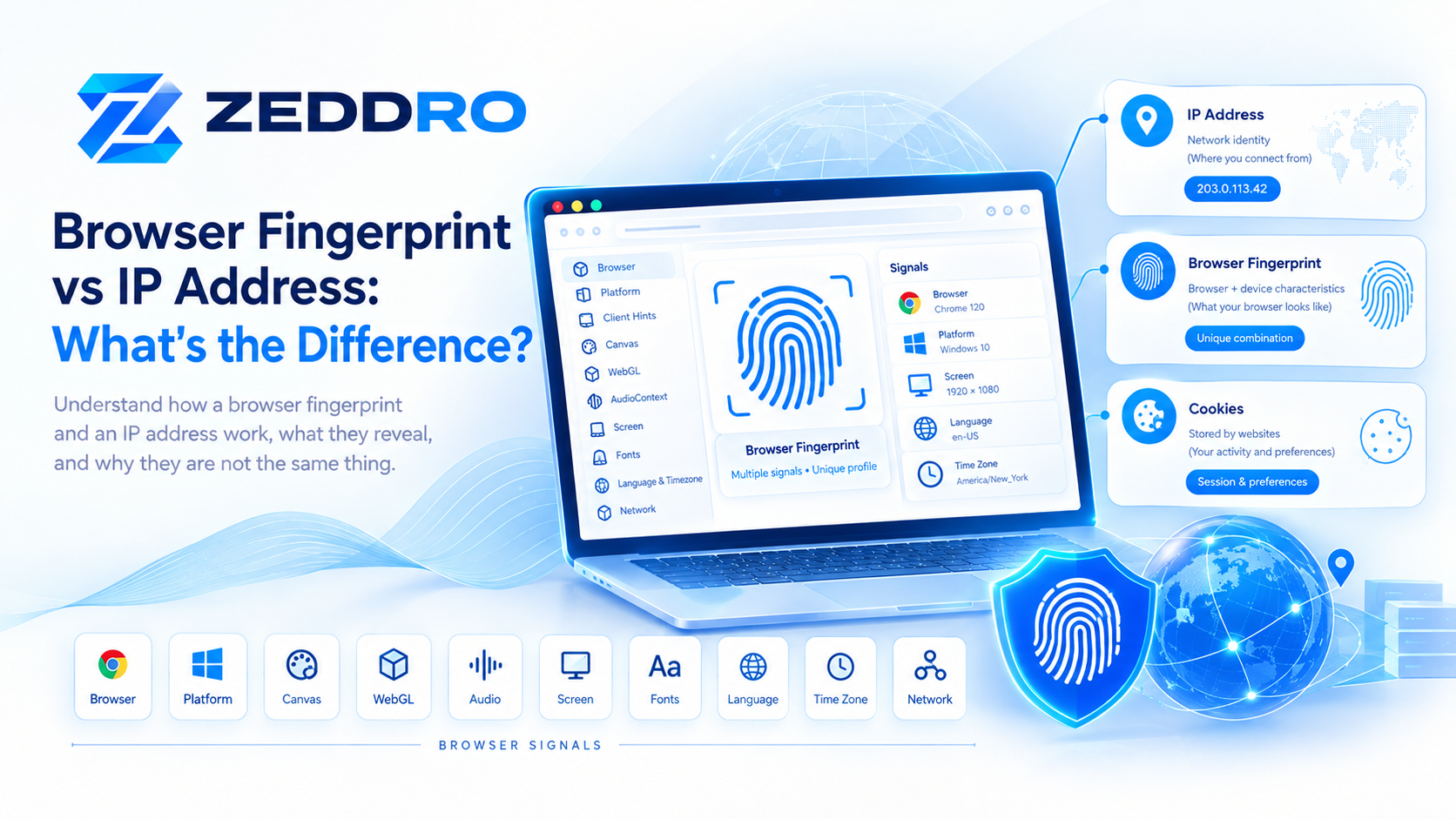
Browser Fingerprint Consistency vs IP Address
A browser fingerprint and an IP address represent fundamentally different things.
IP address
Primarily describes a network endpoint or connection.
Browser fingerprint
Describes characteristics of the browser and its environment.
A simple model:
IP Address
    ↓
Network identity / connection context
while:
Browser Fingerprint
    ↓
Browser + device characteristics
These can be observed together.
Changing an IP address therefore does not automatically change the browser's fingerprint.
Likewise, changing browser characteristics does not automatically change the network identity.
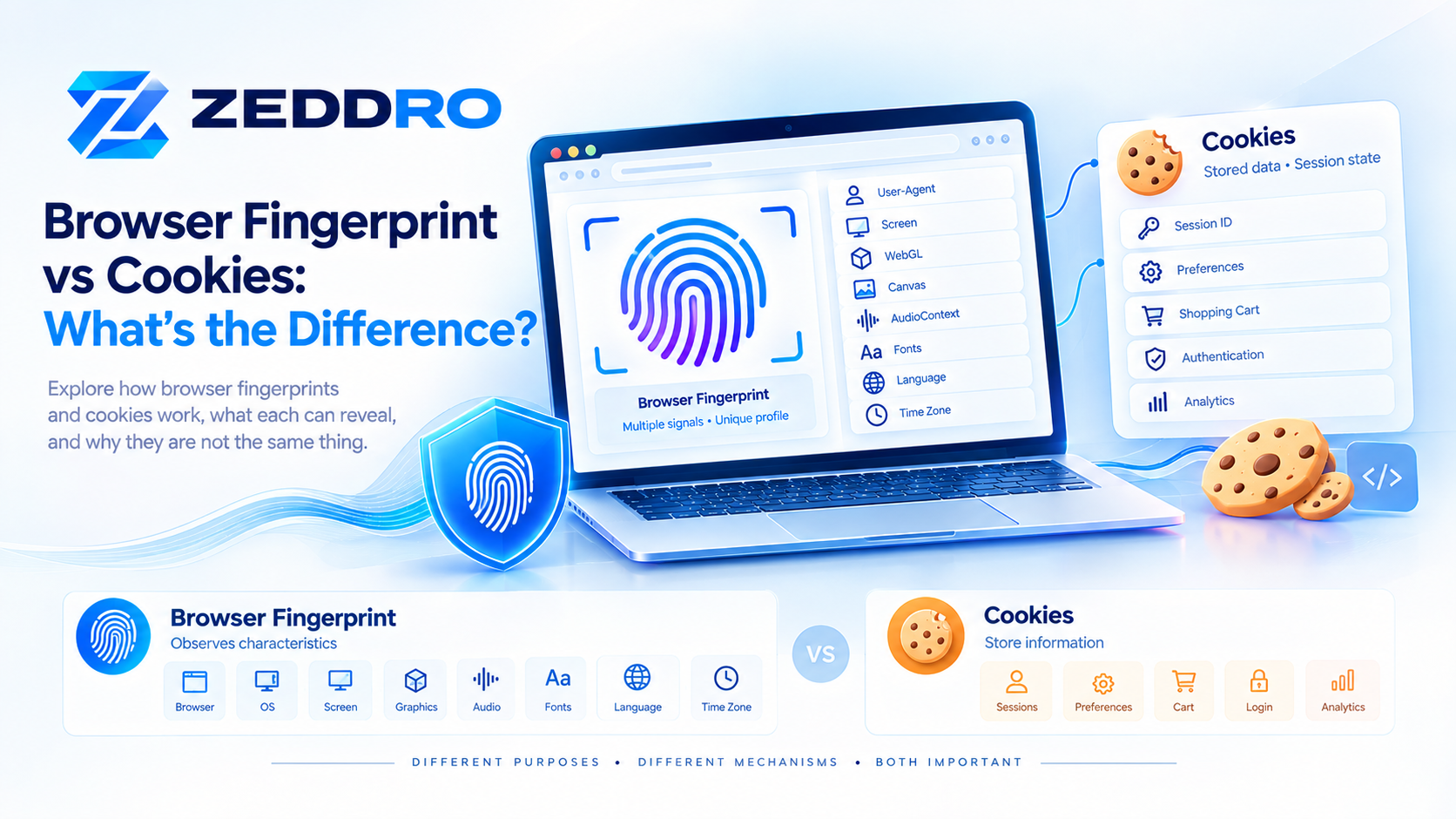
Browser Fingerprint Consistency vs Cookies
Cookies are another separate mechanism.
A cookie is stored by the browser for a website and can contain information used for sessions, preferences, authentication, and other functionality.
Fingerprinting does not require a traditional cookie.
This is one reason deleting cookies does not necessarily eliminate all browser fingerprinting signals.
EFF's Cover Your Tracks documentation explains that fingerprinting can identify browsers using characteristics beyond traditional cookies.
The three concepts can therefore be thought of as:
Cookies
   ↓
Stored browser state

IP Address
   ↓
Network connection

Fingerprint
   ↓
Browser environment characteristics
They can interact, but they are not interchangeable.
A Better Mental Model
Instead of thinking:
Fingerprint = One IDthink:
                    Browser Environment
                            │
        ┌───────────────────┼───────────────────┐
        │                   │                   │
     Browser             Platform             Device
        │                   │                   │
        └───────────────────┼───────────────────┘
                            │
                     Client Hints
                            │
        ┌───────────────────┼───────────────────┐
        │                   │                   │
      Canvas              WebGL           AudioContext
        │                   │                   │
        └───────────────────┼───────────────────┘
                            │
             ┌──────────────┼──────────────┐
             │              │              │
           Fonts          Screen        Navigator
             │              │              │
             └──────────────┼──────────────┘
                            ↓
                 Combined Browser Signals
                            ↓
                    Browser Fingerprint
Then ask two separate questions:
How distinctive is the environment?
and:
How coherent are its signals?
That mental model is much more useful than thinking about a fingerprint as one fixed number.
How Browser Fingerprint Consistency Can Change Over Time
A browser fingerprint is not necessarily permanent.
Changes can occur because of:
- Browser updates
- Operating-system updates
- New fonts
- Hardware changes
- Display changes
- Browser configuration changes
- Privacy settings
- New browser APIs
- Changes in website measurement techniques
For example, a browser update can change the behavior of a browser API without the user intentionally changing their configuration.
This means fingerprint analysis should be understood as an observation of an environment at a particular point in time.
Why Fingerprint Consistency Is Becoming More Important
As browsers evolve, the information available to websites also changes.
Traditional User-Agent information has been reduced in modern browsers, while APIs such as User-Agent Client Hints provide structured mechanisms for applications that need additional browser or platform information.
At the same time, browsers continue to expose functionality through APIs for graphics, audio, display, storage, networking, and other capabilities.
This means browser identity increasingly needs to be understood as a multi-layer environment.
A simplified modern model is:
HTTP
 ↓
Client Hints
 ↓
JavaScript APIs
 ↓
Graphics
 ↓
Audio
 ↓
Display
 ↓
Device
 ↓
Network
The interaction between these layers is what makes browser fingerprinting a complex technical subject.
Key Takeaways
- A browser fingerprint is composed of multiple observable signals.
- Fingerprint consistency describes how well those signals agree with each other.
- User-Agent and Client Hints can provide related browser and platform information.
- Canvas and WebGL provide graphics-related fingerprinting signals.
- AudioContext can provide another category of observable characteristics.
- Screen properties, fonts, language, time zone, and navigator information can add additional context.
- One unusual characteristic does not automatically indicate an abnormal browser.
- Multiple contradictory signals can make an environment more distinctive.
- Fingerprint consistency and fingerprint uniqueness are different concepts.
- Browser fingerprint entropy describes distinguishing information, not consistency.
- Modern browsers use various mechanisms to reduce fingerprinting risks.
- Browser profile management is more reliable when treated as an environment rather than a collection of unrelated values.
- Fingerprint consistency does not guarantee anonymity.
- IP addresses, cookies, and browser fingerprints represent different layers of browser and network identity.
Frequently Asked Questions
What is browser fingerprint consistency?
Browser fingerprint consistency describes how well the different observable characteristics of a browser environment agree with one another.
Why is browser fingerprint consistency important?
Because browser fingerprints are built from multiple signals. Relationships between those signals can provide additional context when a website analyzes a browser environment.
What is a browser fingerprint mismatch?
A mismatch occurs when different observable characteristics appear difficult to reconcile. A mismatch does not automatically mean that a browser is fraudulent or manipulated.
Is an unusual fingerprint automatically suspicious?
No. Real users can have unusual hardware, multiple monitors, VPNs, proxies, remote desktops, custom configurations, different languages, or other legitimate characteristics.
What signals can contribute to fingerprint consistency?
Depending on the website and browser, signals can include User-Agent, Client Hints, screen properties, Canvas, WebGL, AudioContext, fonts, language, time zone, navigator properties, WebRTC behavior, and other browser APIs.
Is fingerprint consistency the same as fingerprint uniqueness?
No.
Consistency concerns the relationship between signals.
Uniqueness concerns how uncommon the resulting combination is.
Does changing the IP address change the browser fingerprint?
No. An IP address and browser fingerprint describe different aspects of the environment. Changing one does not automatically change the other.
Does deleting cookies remove a browser fingerprint?
No. Browser fingerprinting can rely on characteristics that exist independently of traditional cookies.
Can browsers prevent fingerprinting?
Browsers can reduce fingerprinting risks, but completely eliminating all observable differences is difficult because websites still need information for normal functionality. Modern browsers use techniques such as information reduction, restrictions, standardization, and other privacy mechanisms.
Does fingerprint consistency guarantee anonymity?
No. Other information—including network, account, session, and behavioral signals—can also contribute to how a website evaluates a browser environment.
Final Takeaway
Browser fingerprint consistency is about relationships, not individual values.
A modern browser can expose information through HTTP headers, Client Hints, JavaScript APIs, graphics rendering, audio processing, screen characteristics, fonts, and many other mechanisms.
Looking at only one of these signals provides an incomplete picture.
The more useful mental model is to see the browser as a connected environment of signals.
Browser
   +
Platform
   +
Client Hints
   +
Graphics
   +
Audio
   +
Screen
   +
Fonts
   +
Other APIs
        ↓
Browser Environment
        ↓
Fingerprint
Understanding this relationship is essential for anyone studying browser fingerprinting, privacy, browser profile management, or modern web security.
And it naturally leads to the next topic:
Browser Fingerprint vs IP Address: What's the Difference?
That article can explain one of the most common misconceptions in browser identity: an IP address describes a network connection, while a browser fingerprint describes characteristics of the browser environment.