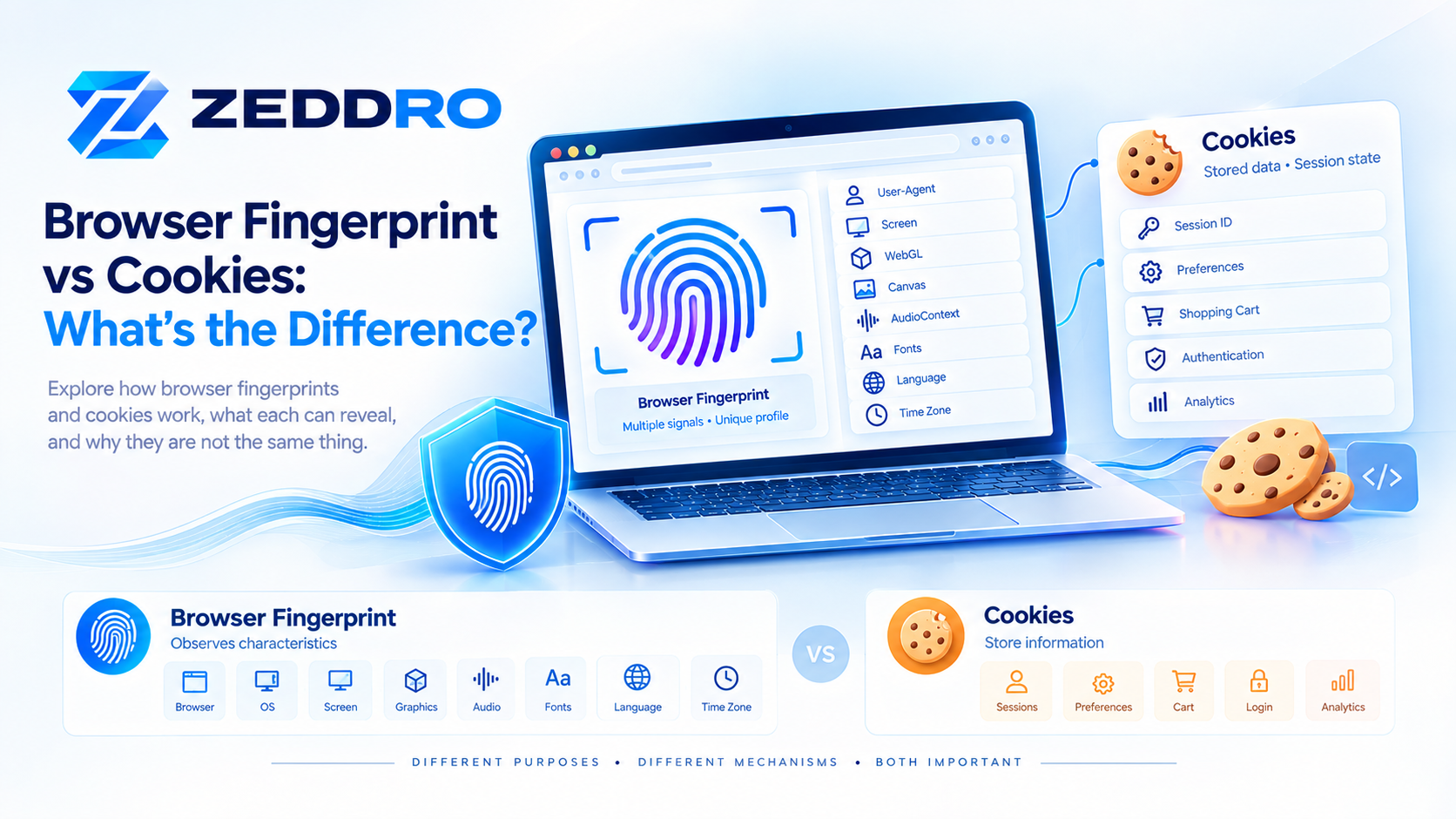
A browser fingerprint and a cookie are often discussed together because both can play a role in recognizing or understanding a browser, but they work in fundamentally different ways.
A cookie is stored data associated with a website. It can be used to maintain login sessions, remember preferences, and support analytics or other website functionality.
A browser fingerprint, by contrast, is built from observable characteristics of the browser, device, and environment. These can include browser properties, screen characteristics, fonts, graphics capabilities, language settings, and other signals.
The simplest distinction is:
Cookies store information. Fingerprinting observes and combines information.
They can also be used together, which makes understanding the difference particularly important for privacy, security, analytics, browser profiles, and modern web applications.
Browser Fingerprint vs Cookies: Quick Answer
| Browser Fingerprint | Cookies | |
|---|---|---|
| Basic concept | Observable browser/device characteristics | Stored website data |
| Stored in browser | Not as one universal fingerprint value | Yes |
| Created by | Characteristics exposed by browser/device | Website/server or browser-side code |
| Main purpose | Identification, recognition, security, analytics, research | Sessions, preferences, state, analytics |
| Requires stored identifier | No | Yes |
| Can exist without cookies | Yes | No |
| Can be deleted like a cookie | Not as a single stored item | Yes |
| Can change over time | Yes | Yes |
| Can contribute to recognition | Yes | Yes |
| Represents the browser environment | Yes | Not inherently |
The important point is that fingerprinting and cookies are not competing versions of the same technology.
They operate differently and solve different technical problems.
What Are Browser Cookies?
A cookie is a small piece of data that a server sends to a browser. The browser can store the cookie and return it to the relevant server with later requests.
Cookies add a form of state to HTTP, which is otherwise stateless. They are commonly used for authentication, preferences, shopping carts, personalization, and other forms of website state management.
A simplified flow looks like this:
Website
   ↓
Set-Cookie
   ↓
Browser stores cookie
   ↓
User visits again
   ↓
Browser sends Cookie
   ↓
Website recognizes stored state
For example, a website might create a session cookie after a successful login:
session_id=abc123On subsequent requests, the browser can send that cookie back to the same site.
The website can then associate those requests with the same session.
What Are Cookies Used For?
Cookies have many legitimate uses.
Authentication
A website can use a cookie to maintain a user's authenticated session.
Preferences
Cookies can store settings such as:
- Language
- Theme
- Interface preferences
- Region
- Other website choices
Shopping carts
E-commerce websites can use cookies to maintain shopping-cart state between requests.
Analytics
Cookies can help websites understand returning visits and user interactions.
Personalization
A website can remember certain choices and customize the experience accordingly.
MDN identifies session management, personalization, and tracking among common uses of HTTP cookies.
What Is a Browser Fingerprint?
A browser fingerprint is a collection of characteristics that a website can observe from a browser and its surrounding environment.
Unlike a cookie, it is not simply a value that a website stores in the browser and receives back later.
Fingerprinting can involve signals such as:
- Browser characteristics
- Operating system
- Screen dimensions
- Language
- Time zone
- Fonts
- Canvas behavior
- WebGL characteristics
- Audio-related characteristics
- Client Hints
- Available browser APIs
- Other observable properties
MDN describes fingerprinting as building up a collection of data points that can differentiate one browser or environment from another.

The W3C similarly describes a browser's fingerprinting surface as the set of observable characteristics that can potentially be combined to identify or correlate a browser, device, or user.
How Browser Fingerprinting Works
A simplified fingerprinting process can look like this:
Browser
   │
   ├── Browser properties
   ├── Operating system
   ├── Screen
   ├── Fonts
   ├── Language
   ├── Time zone
   ├── Canvas
   ├── WebGL
   ├── Audio
   └── Client Hints
          │
          ↓
    Observable Signals
          │
          ↓
   Fingerprint Analysis
The important concept is that the fingerprint is usually composite.
A single property such as screen resolution is rarely enough to uniquely describe a browser.
Instead, multiple signals can be considered together.
The Fundamental Difference: Stored State vs Observable Characteristics
This is the most important section of the entire article.
Cookies are stored state
A cookie exists because a website or related client-side mechanism stores a value associated with a domain.
For example:
Website
   ↓
Set-Cookie
   ↓
Browser
   ↓
Cookie stored
Later:
Browser
   ↓
Cookie header
   ↓
Website
The cookie provides the website with previously stored state.
Fingerprinting is based on observation
Fingerprinting works differently.
A website can observe characteristics exposed by the browser and combine them.
For example:
Browser
   ↓
Screen
   ↓
WebGL
   ↓
Canvas
   ↓
Fonts
   ↓
Language
   ↓
Time Zone
   ↓
Client Hints
These characteristics can contribute to a fingerprint.
There is therefore no requirement for a website to first store a traditional cookie containing a fingerprint identifier.
This distinction is one reason fingerprinting is an important privacy topic. The W3C explicitly discusses both passive fingerprinting, based on information observable from requests, and active fingerprinting, where additional browser characteristics are observed through code.
Browser Fingerprint vs Cookie: A Simple Example
Imagine that you visit a website for the first time.
The website sets:
user_session=ABC123That value is stored as a cookie.
On your next request:
Cookie: user_session=ABC123The website can use that value to associate the request with the stored session.
Now consider fingerprinting.
The browser might expose:
Browser: Chrome
OS: Windows
Screen: 1920 × 1080
Language: en-US
Time Zone: Europe/London
WebGL: characteristics
Canvas: characteristics
Fonts: characteristics
The website can analyze these characteristics without treating them as a traditional cookie.
So:
Cookie
= stored state

Fingerprint
= observed characteristics
That is the fundamental distinction.
Can Fingerprinting Work Without Cookies?
Yes.
A website can observe certain browser and device characteristics without first setting a traditional HTTP cookie.
This does not mean that every fingerprinting system can identify a particular person with certainty.
It means that cookies are not a prerequisite for observing browser characteristics.
The W3C's fingerprinting guidance explicitly distinguishes active fingerprinting from cookie-like state mechanisms and discusses how various observable characteristics can contribute to a browser's fingerprinting surface.
This is also why simply asking whether a website "uses cookies" does not completely answer the broader question of what information the website can observe.
Can Cookies Identify a Browser?
Yes, cookies can help a website recognize a returning browser or maintain a session.
For example:
First visit
   ↓
Cookie created
   ↓
Returning visit
   ↓
Cookie sent back
   ↓
Website recognizes stored state
MDN notes that servers can use cookie contents to determine whether different requests are associated with the same browser or user and then provide an appropriate response.
However, a cookie is not necessarily a permanent identity.
Cookies can be:
- Deleted
- Expired
- Blocked
- Partitioned
- Replaced
- Restricted by browser policies
- Limited by their domain and attributes
Therefore, cookies should be understood as browser-managed website state, not as an immutable identity.
Can Browser Fingerprints Identify a User?
This requires more nuance.
A browser fingerprint can contribute to identifying or correlating a browser environment, but it should not automatically be interpreted as a permanent identifier for a human being.
A fingerprint can change when the environment changes.
For example:
Browser update
       ↓
Different exposed characteristics
       ↓
Fingerprint may change
Other changes can also affect the observable environment:
- Operating-system updates
- Browser settings
- Hardware changes
- Display changes
- Installed fonts
- Privacy protections
- Network or browser configuration
MDN notes that modern browsers implement measures intended to reduce fingerprinting, including limiting information access and introducing variation in some exposed information.
So the correct statement is:
A browser fingerprint can contribute to recognition or correlation, but it is not necessarily a permanent identity.
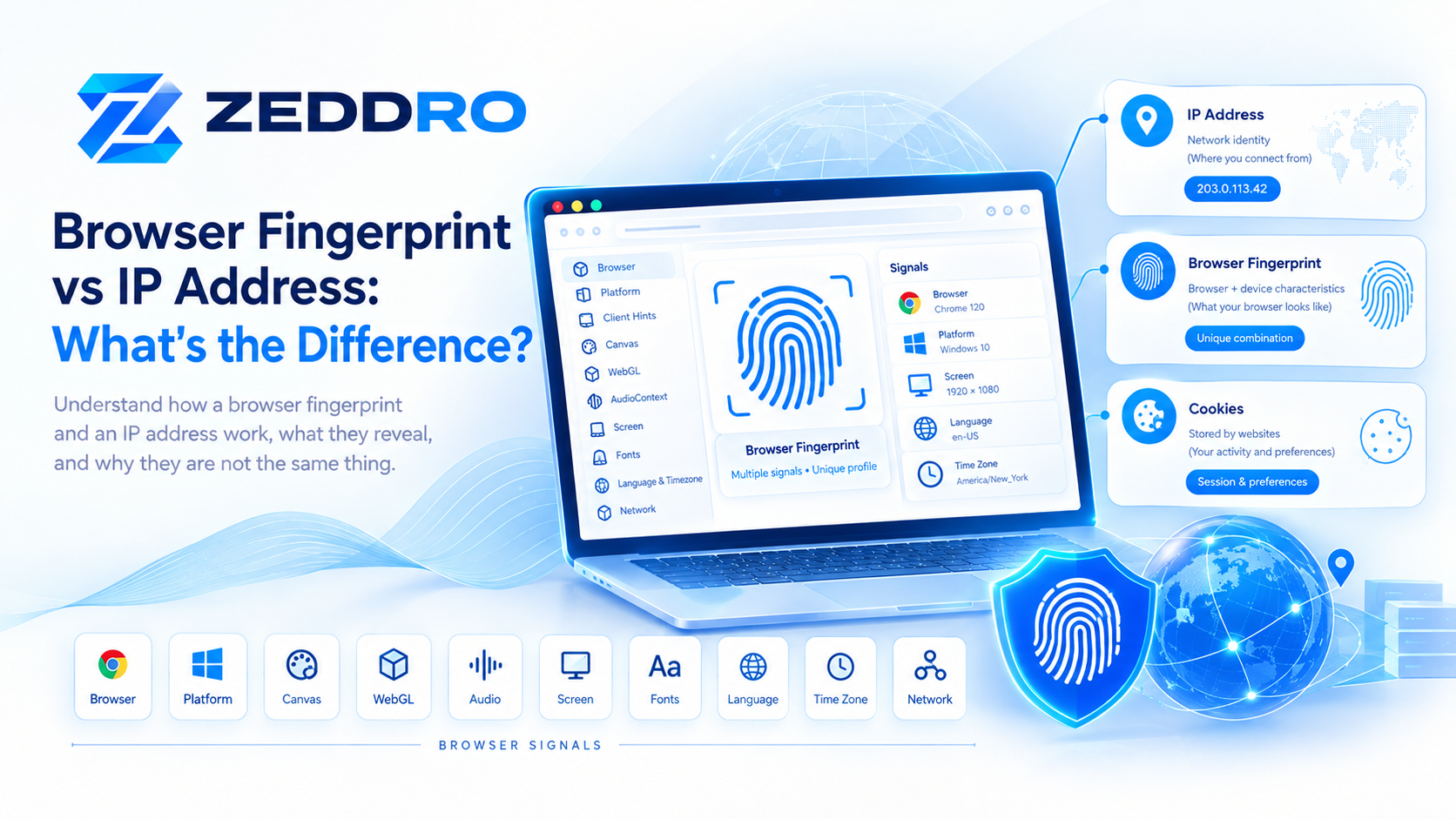
Browser Fingerprint vs Cookies vs IP Address
At this point, it is useful to add the third major signal: the IP address.
These three concepts operate at different layers.
| Signal | Main role | Example |
|---|---|---|
| IP address | Network context | 203.0.113.42 |
| Browser fingerprint | Browser/device characteristics | WebGL + Canvas + Screen + Fonts |
| Cookie | Stored website state | session_id=ABC123 |
A simplified model:
                 Web Visit
                     │
       ┌─────────────┼─────────────┐
       │             │             │
     Network       Browser       Storage
       │             │             │
   IP Address    Fingerprint    Cookies
                     │
              ┌──────┼──────┐
              │      │      │
           Canvas  WebGL  Client Hints
A website can potentially use several of these layers together.
Why Websites Can Use Multiple Signals
Consider a hypothetical website visit.
It could receive:
IP:
203.0.113.42

Cookie:
session=ABC123

User-Agent:
Chrome

Client Hints:
Windows / Desktop

Screen:
1920 × 1080

Language:
en-US

Time Zone:
America/New_York

WebGL:
Renderer characteristics

Canvas:
Rendering characteristics
These pieces of information answer different questions.
IP address
Provides network context.
Cookie
Provides previously stored website state.
Fingerprint signals
Provide information about the browser and its environment.
The combination can give a website a much richer context than any individual signal.
What Happens If You Delete Your Cookies?
Deleting cookies can remove the stored cookie state for a site, but it does not automatically erase every characteristic of the browser environment.
For example:
Before

Cookie → ABC123
Fingerprint signals → Environment A
After clearing cookies:
Cookie → removed
Fingerprint signals → may remain similar
The exact behavior depends on the browser, website, privacy settings, storage mechanisms, and other factors.
Also, cookies are not the only form of browser storage. Modern browsers provide other storage mechanisms such as localStorage, sessionStorage, IndexedDB, and other origin-scoped storage technologies.
Therefore:
Clearing cookies is not equivalent to resetting the entire browser environment.
Does Incognito Mode Prevent Fingerprinting?
No, not by itself.
Private or incognito browsing primarily changes how the browser handles local browsing data and sessions.
It should not be interpreted as meaning that the browser exposes no characteristics.
A website can still interact with the browser and observe information that the browser makes available to web content, subject to the browser's privacy protections.
Therefore:
Incognito Mode
      ≠
No Fingerprinting
Private browsing and fingerprinting protection are related privacy concepts, but they are not the same thing.
Can Fingerprinting Replace Cookies?
Not exactly.
Fingerprinting and cookies have different purposes.
Cookies are particularly useful for maintaining explicit state:
Login
   ↓
Session Cookie
   ↓
Authenticated Requests
Fingerprinting instead works from observable characteristics:
Browser
   ↓
Observable Signals
   ↓
Fingerprint Analysis
A fingerprint therefore does not simply function as a drop-in replacement for a session cookie.
For example, a shopping cart or login session requires application state that is normally managed using explicit mechanisms such as cookies or other storage/session technologies.
Fingerprinting addresses a different problem.
Cookies Are Not Just Tracking Technologies
Another important distinction is that cookies are often discussed only in the context of tracking.
That is incomplete.
Cookies have many legitimate technical uses.
For example:
- Authentication
- Session management
- Preferences
- Security
- Shopping carts
- Language settings
- Personalization
MDN specifically documents session management and personalization as common cookie use cases.
The privacy implications depend heavily on how cookies are used, who can access them, how long they persist, and whether they are shared across sites or contexts.
First-Party vs Third-Party Cookies
Not all cookies operate in the same context.
First-party cookies
These are generally associated with the website the user is directly visiting.
They can support:
- Login sessions
- Preferences
- Shopping carts
- Website functionality
Third-party cookies
These are associated with a different site or embedded third-party content.
They have historically been used for purposes such as cross-site advertising and analytics.
Modern browsers have introduced increasingly strong restrictions around third-party cookies and cross-site storage. MDN documents browser privacy measures including restrictions and blocking of third-party cookies.
This is one reason the modern web is moving toward more privacy-preserving approaches to cross-site measurement and storage.
What About Local Storage?
Cookies are not the only storage mechanism available to websites.
Modern browsers also provide APIs such as:
localStoragesessionStorage- IndexedDB
- Cache-related storage
- Other origin-scoped storage mechanisms
For example:
Browser Storage
       │
       ├── Cookies
       ├── localStorage
       ├── sessionStorage
       ├── IndexedDB
       └── Other storage
MDN notes that Web Storage and IndexedDB are designed for client-side storage and can hold more data than cookies, while cookies have the additional characteristic of being sent with matching HTTP requests.
This matters because:
Cookies are only one part of browser state.
Fingerprinting and Browser Storage Are Different Concepts
This distinction is especially important when working with browser profiles.
A browser profile may contain:
Profile
│
├── Cookies
├── Local Storage
├── Session State
├── IndexedDB
├── Browser Settings
├── Fingerprint Configuration
└── Proxy Configuration
The stored state and the fingerprint characteristics are different layers.
A profile-management system therefore needs to consider more than just cookies.
Why Browser Profile Isolation Matters
When working with multiple projects or environments, keeping browser state separated can be useful.
For example:
Profile A
├── Cookies A
├── Storage A
├── Fingerprint Configuration A
└── Proxy A

Profile B
├── Cookies B
├── Storage B
├── Fingerprint Configuration B
└── Proxy B
This creates a clearer separation between browser environments.
Legitimate use cases include:
- Client/project separation
- Testing environments
- Advertising workflows
- E-commerce operations
- Social media management
- Research
- Development and QA
- Team-based browser management
The important principle is environment separation and control, rather than assuming that any browser configuration can guarantee anonymity or bypass a website's security controls.
How Zeddro Handles Fingerprints and Cookies
Zeddro is designed around browser-profile management, where different components of a browser environment can be organized within individual profiles.
A simplified model is:
                  ZEDDRO PROFILE
                        │
        ┌───────────────┼───────────────┐
        │               │               │
   Fingerprint        Cookies         Proxy
        │               │               │
   Browser/Device     Sessions       Network
   characteristics    & state        routing
This makes it possible to manage different browser environments without treating cookies, fingerprints, and proxies as if they were the same technology.
For teams, profile-level organization can also make it easier to separate client workspaces, projects, sessions, and browser configurations.
Zeddro's cookie management is therefore one component of a broader browser-profile architecture rather than a replacement for fingerprint management.
Can a Fingerprint Stay the Same After Cookies Are Deleted?
It can remain similar, but there is no guarantee that it will remain identical.
Deleting a cookie changes stored website state.
It does not necessarily change:
- Browser version
- Operating system
- Screen size
- Installed fonts
- WebGL characteristics
- Canvas behavior
- Language
- Time zone
However, fingerprint characteristics can also change independently.
For example:
Cookie deleted
      │
      ├── Browser unchanged
      ├── OS unchanged
      ├── Screen unchanged
      └── Fingerprint signals may remain similar
This is why deleting cookies and changing the browser environment should not be treated as the same operation.
Can Two Browsers Have the Same Fingerprint?
Potentially, yes.
Fingerprinting does not necessarily produce a globally unique identifier for every browser.
If many browsers expose similar characteristics, they can belong to the same or a similar group of observable environments.
This is one reason fingerprinting is often discussed in terms of entropy, uniqueness, and fingerprinting surface rather than simply "a unique ID."
The goal of fingerprinting analysis can be to determine how distinguishing a combination of signals is within a population.
Why More Data Does Not Always Mean Better Identification
It may seem logical that collecting more browser characteristics always produces a better fingerprint.
But privacy engineering is more complicated.
A larger set of exposed characteristics can increase the fingerprinting surface and potentially make environments more distinguishable.
The W3C's fingerprinting guidance specifically addresses the privacy impact of exposing browser settings and characteristics and discusses strategies for mitigating fingerprinting surfaces.
Modern browsers therefore increasingly consider:
- What information websites can access
- How precise that information is
- Whether information can be combined
- Whether different browsers should expose standardized values
- How third-party contexts access data
The goal is often to reduce unnecessary distinguishability while preserving legitimate web functionality.
Browser Fingerprinting and Privacy
Fingerprinting has legitimate applications, particularly in areas such as:
- Fraud detection
- Security
- Account protection
- Abuse prevention
- Browser compatibility
- Research
- Analytics
But it can also create privacy risks when websites or third parties collect and combine large amounts of browser and device information.
The W3C explicitly treats browser fingerprinting as a privacy consideration in web standards.
Modern browser privacy features therefore attempt to reduce unnecessary exposure while keeping websites functional.
Browser Fingerprint vs Cookies: The Key Differences
Let's summarize the technical distinction.
Browser fingerprint
A fingerprint is built from characteristics the browser and environment expose.
Examples include:
Screen
WebGL
Canvas
Fonts
Language
Time Zone
Browser
OS
Client Hints
Cookie
A cookie is stored website data.
Examples include:
Session ID
Preference
Authentication state
Analytics identifier
Shopping cart state
The conceptual difference is:
Fingerprint
     ↓
Observe
     ↓
Combine signals
     ↓
Analyze environment


Cookie
     ↓
Store value
     ↓
Send value later
     ↓
Maintain state
Browser Fingerprint vs Cookies vs IP Address: Complete Comparison
| Characteristic | Browser Fingerprint | Cookies | IP Address |
|---|---|---|---|
| Primary layer | Browser/device | Website storage | Network |
| Stored by browser | Not as one fingerprint value | Yes | No |
| Can identify network | No | No | Yes |
| Can describe browser | Yes | Not inherently | No |
| Can maintain login session | Not directly | Yes | No |
| Can exist without cookies | Yes | No | Yes |
| Can change over time | Yes | Yes | Yes |
| Can be shared by multiple users | Similar environments can exist | Cookies are usually scoped to browser/site | Yes |
| Can be blocked or restricted | Browser privacy controls | Yes | Not in the same way |
| Main purpose | Observation/correlation | State management | Network addressing |
This table is the most useful mental model:
IP = network context
Fingerprint = browser environment
Cookie = stored website state
Common Misconceptions
Myth 1: A cookie is a fingerprint
Not exactly.
A cookie is stored state. A fingerprint is constructed from observable characteristics.
They can both contribute to recognition, but they work differently.
Myth 2: Deleting cookies removes your fingerprint
No.
Deleting cookies removes stored cookie data. It does not automatically change all browser and device characteristics.
Myth 3: Incognito means no fingerprinting
No.
Private browsing does not automatically make the browser indistinguishable from other browsers.
Myth 4: A VPN changes your fingerprint
Not necessarily.
A VPN primarily affects network routing and the IP address visible to the destination.
It does not automatically modify every browser characteristic.
Myth 5: Every browser has one permanent fingerprint
No.
A fingerprint is based on observable characteristics that can change over time.
Myth 6: Fingerprinting and cookies are alternatives
Not necessarily.
A website can use cookies, fingerprint signals, network information, account information, and other mechanisms together.
Frequently Asked Questions
What is the difference between a browser fingerprint and a cookie?
A browser fingerprint is built from observable characteristics of a browser and its environment. A cookie is stored data that a website can send to and receive from the browser.
Is fingerprinting more persistent than cookies?
It depends on the browser, environment, implementation, and signals involved. Cookies can be explicitly deleted or blocked, while fingerprint characteristics may continue to be observable even when cookies are unavailable. However, fingerprints can also change when the browser or environment changes.
Can websites fingerprint without cookies?
Yes. Websites can observe browser and device characteristics without relying on a traditional cookie.
Does deleting cookies change browser fingerprinting?
Deleting cookies changes stored website state, but it does not automatically change the browser's other observable characteristics.
Can cookies identify a user?
Cookies can allow a website to recognize a browser or maintain a session, but a cookie should not automatically be interpreted as a permanent identity for a person.
Can a browser fingerprint identify a person?
A fingerprint can contribute to recognizing or correlating a browser environment, but it is not necessarily a permanent or unique identifier for a human being.
Is fingerprinting the same as tracking?
No. Fingerprinting is a technique that can contribute to identification or tracking, but fingerprinting and tracking are not synonymous.
What is fingerprinting without cookies?
It refers broadly to identifying or correlating a browser using observable characteristics rather than relying on a traditional stored cookie identifier.
Does clearing browser data remove fingerprinting?
It can remove some stored state, including cookies and other site data, depending on what is cleared. It does not mean that websites can no longer observe browser characteristics.
Are cookies still important?
Yes. Cookies remain an important part of the web platform, particularly for authentication, sessions, preferences, and other state-management tasks. Their use and availability can vary with browser privacy policies and cookie attributes.
Final Takeaway
Browser fingerprints and cookies are fundamentally different technologies.
A cookie is stored website state. It allows a website to remember information and maintain context between requests.
A browser fingerprint is a collection of observable browser and device characteristics that can be analyzed and combined.
The difference can be summarized in one sentence:
Cookies remember information; fingerprinting observes characteristics.
Neither concept should be considered in isolation.
Modern websites can potentially work with several layers of information:
Network
   ↓
IP Address

Browser
   ↓
Fingerprint Signals

Storage
   ↓
Cookies / Local Storage / Sessions

Account
   ↓
Authentication / Application Data
Understanding how these layers differ is essential for anyone working with web privacy, browser security, analytics, account management, browser profiles, proxies, or web development.
For browser-profile management specifically, the distinction is especially important: cookies represent stored session and website state, while fingerprint configuration concerns the characteristics exposed by the browser environment.
Related Zeddro Articles
To build a strong internal-link structure around this topic, connect this article with the previous articles in the Browser Fingerprinting cluster:
- What Is Browser Fingerprinting? How It Works
- How Browser Fingerprinting Works: A Technical Deep Dive
- Canvas Fingerprinting: How It Works and Why It Matters
- WebGL Fingerprinting: How It Works and Why It Matters
- AudioContext Fingerprinting: How It Works and Why It Matters
- Client Hints and Browser Fingerprinting: What Websites Can Learn
- Browser Fingerprint Consistency: Why It Matters
- Browser Fingerprint vs IP Address: What’s the Difference?
- Browser Fingerprint vs Cookies: What’s the Difference? ← This article
For the actual blog, I recommend linking the titles directly to the live articles rather than displaying the raw URLs.