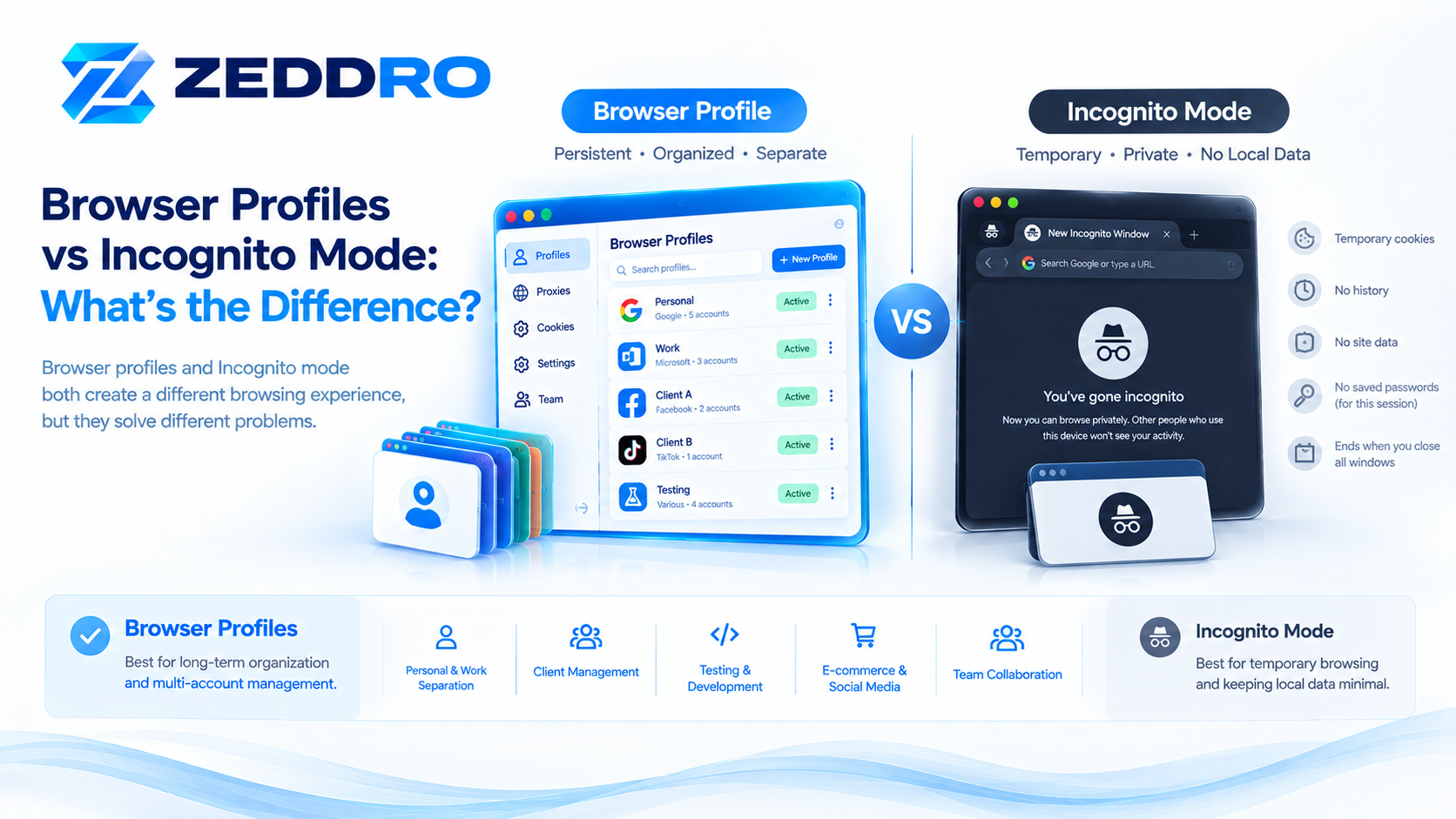
Browser profiles and Incognito mode both create a different browsing experience, but they are designed for very different purposes.
A browser profile is a persistent, separate browser environment for organizing accounts, settings, cookies, extensions, and other browser data. Incognito mode is a temporary browsing session designed primarily to limit what the browser saves locally.
That distinction matters when managing multiple accounts, separating work from personal browsing, testing websites, or organizing browser environments.
Chrome, for example, describes profiles as a way to keep information such as bookmarks, history, passwords, and other settings separate. Incognito, by contrast, starts a temporary browsing session and removes much of its local site data when the session ends.
So, although both features can appear to provide "separation," they solve different problems.
Browser Profiles vs Incognito: Quick Comparison
| Feature | Browser Profile | Incognito / Private Browsing |
|---|---|---|
| Persistent environment | Yes | No |
| Separate cookies | Yes | Temporary |
| Separate local storage | Yes | Temporary |
| Separate browsing history | Yes | Designed not to retain normal history |
| Bookmarks | Profile-specific | Usually saved to normal browser |
| Extensions | Can be profile-specific | Limited/different behavior |
| Account sessions | Persistent | Temporary |
| Settings | Profile-specific | Uses browser configuration with private-session behavior |
| Long-term workflows | Excellent | Poor fit |
| Multi-account organization | Excellent | Limited |
| Testing temporary sessions | Useful | Excellent |
| Local privacy on shared device | Good | Excellent |
| Changes browser fingerprint automatically | No | No |
| Changes IP address | No | No |
| Makes you anonymous online | No | No |
The most important distinction is simple:
Profiles are designed for separation and organization. Incognito is designed for temporary browsing with reduced local storage.
What Is a Browser Profile?
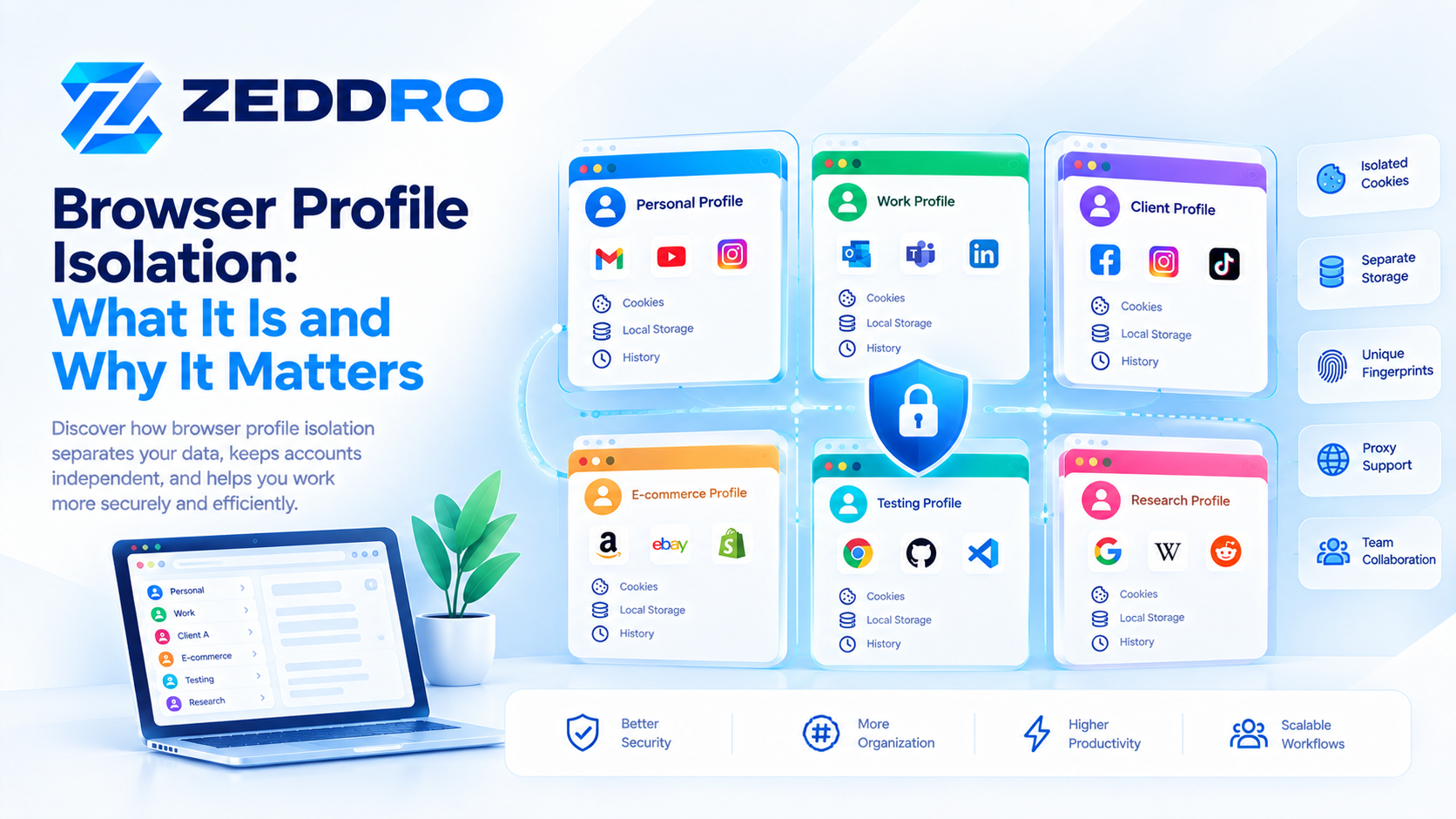
A browser profile is a separate environment within a browser.
Instead of having everything inside one browser environment, you can create multiple profiles with their own data and configuration.
For example:
- Personal
- Work
- Client A
- Client B
- E-commerce
- Development
- Testing
- Research
Chrome officially supports multiple profiles and explains that they can keep information such as bookmarks, history, passwords, and other settings separate.
A profile can therefore become a persistent workspace.
For example:
Chrome
│
├── Personal Profile
│   ├── Cookies
│   ├── Bookmarks
│   ├── History
│   └── Extensions
│
├── Work Profile
│   ├── Cookies
│   ├── Bookmarks
│   ├── History
│   └── Extensions
│
└── Client Profile
    ├── Cookies
    ├── Bookmarks
    ├── History
    └── Extensions
Each profile can maintain its own browsing state.
This makes profiles useful for people who need to keep different online activities organized.
What Is Incognito Mode?
Incognito mode, also called Private Browsing in some browsers, is fundamentally different.
When you open an Incognito window, the browser creates a temporary browsing session.
In Chrome, the Incognito session ends when all Incognito windows are closed. Chrome temporarily maintains information such as cookies and site data during the session so websites can function, but removes that session data afterward.
Firefox's Private Browsing works on a similar principle: browsing information such as history and cookies is not retained after the private session ends.
This makes private browsing useful when you want a temporary session without leaving the same type of local browsing record behind.
For example:
Normal browsing
Open browser
      ↓
Visit websites
      ↓
Cookies + history + site data
      ↓
Data remains
Incognito
Open Incognito
      ↓
Temporary session
      ↓
Cookies + temporary site data
      ↓
Close all private windows
      ↓
Temporary session data removed
The Biggest Difference: Persistence
The easiest way to understand the difference is to think about persistence.
A browser profile is designed to continue existing.
Incognito is designed to end.
Browser Profile
You can create a profile today and continue using it tomorrow.
Your profile can retain:
- Cookies
- Login sessions
- Bookmarks
- Browser settings
- Extensions
- Local website data
- Preferences
- History
This makes a profile suitable for recurring workflows.
Incognito
An Incognito session is temporary.
You open it, perform your browsing activity, and close it.
Much of the session-specific browsing data is then removed.
Chrome explicitly states that Incognito limits what is saved to the device and removes the browsing session's site data when the Incognito session ends.
Browser Profiles and Cookies
Cookies are an important reason profiles are useful.
A website can use cookies to maintain information such as:
- Login state
- Preferences
- Session identifiers
- Shopping-cart information
- Other site-specific state
With separate browser profiles, these environments can maintain different persistent cookie stores.
For example:
Work Profile
→ work-account cookies

Client A Profile
→ Client A cookies

Client B Profile
→ Client B cookies
This helps prevent different workflows from being mixed together.
Incognito also uses temporary cookies and site data during a private session, but that data is intended to disappear after the session ends. Chrome and Firefox both document this temporary behavior.
Therefore:
Profile = persistent session separation
Incognito = temporary session
What About Local Storage?
Cookies are not the only form of browser state.
Websites can also use browser storage mechanisms such as localStorage and sessionStorage.
MDN notes that private browsing and Incognito modes handle storage differently from normal browsing; in private mode, localStorage is treated similarly to sessionStorage, and data stored during the private session is deleted when the private browser session ends.
This is another reason Incognito should not be viewed simply as "another profile."
A profile is intended to maintain a persistent environment.
A private session is temporary by design.
Browser Profile vs Incognito for Multiple Accounts
This is where the distinction becomes particularly important.
Suppose you manage:
- Personal Gmail
- Work Gmail
- Client Gmail
- Multiple social accounts
- Several e-commerce dashboards
Using one normal browser environment can become difficult to organize.
A profile-based structure might look like:
Personal
    └── Personal accounts

Work
    └── Business accounts

Client A
    └── Client A accounts

Client B
    └── Client B accounts
Each environment can retain its own browser state.
Incognito is less suitable for this workflow because the session is temporary.
You would have to repeatedly establish the session instead of maintaining a persistent workspace.
Browser Profiles vs Incognito for Privacy
This comparison requires some nuance.
Incognito provides a useful form of local privacy.
For example, someone using a shared computer may not want their browsing history and temporary site data retained in the normal browser environment.
Chrome explicitly says Incognito can be useful on shared computers, while also warning that it does not make the user invisible online.
Firefox makes the same distinction: Private Browsing helps control what is saved locally but does not make the user anonymous to websites, employers, or internet service providers.
So:
Incognito improves local privacy.
It does not automatically provide:
- A different IP address
- A different physical device
- A different operating system
- A completely different browser fingerprint
- Internet anonymity
Does Incognito Change Your Browser Fingerprint?
Generally, you should not think of Incognito as a fingerprint-changing technology.
Browser fingerprinting is based on observable characteristics of a browser and device environment.
The W3C explains that browser settings and characteristics can contribute to fingerprinting and therefore have privacy implications.
MDN similarly describes fingerprinting as the process of building a collection of data points that can distinguish a browser or device from others.
Opening an Incognito window does not mean that your computer suddenly becomes a completely different device.
The underlying environment can still expose characteristics related to:
- Browser
- Operating system
- Screen
- Language
- Time zone
- Graphics capabilities
- Fonts
- Other browser characteristics
Therefore:
Incognito should not be confused with fingerprint isolation.
Does a Browser Profile Change Your Fingerprint?
A standard browser profile does not automatically create a completely different browser fingerprint either.
This is an important distinction.
A conventional profile primarily separates browser state and configuration.
For example:
Profile A
Cookies
Storage
History
Settings

Profile B
Cookies
Storage
History
Settings
That does not necessarily mean:
Fingerprint A ≠ Fingerprint BThe underlying browser and device can still expose many of the same characteristics.
This is why browser profile isolation and fingerprint management should be treated as separate concepts.
You can learn more about this distinction in:
- What Is a Browser Profile? How Browser Profiles Work
- Browser Profile Isolation: What It Is and Why It Matters
- Browser Fingerprint Consistency: Why It Matters
Browser Profiles vs Incognito vs Separate Browser
There are actually three common approaches to separating browsing environments.
1. Multiple browser profiles
Good for:
- Work/personal separation
- Client management
- Persistent account sessions
- Organized workflows
- Different browser configurations
2. Incognito / Private Browsing
Good for:
- Temporary sessions
- Shared computers
- Testing without retaining normal browsing history
- One-off browsing tasks
- Temporary site sessions
3. Completely separate browsers
For example:
Chrome
Firefox
Edge
Brave
Using separate browsers can create additional separation, but it is often less convenient than profile-based management when you need many persistent environments.
Browser Profiles vs Incognito: A Practical Example
Imagine an agency managing three clients.
Option A — Incognito
The employee opens an Incognito window for Client A.
They log in.
They perform their work.
They close the window.
The temporary session disappears.
The next day, they repeat the process.
This can become inefficient.
Option B — Browser Profiles
The employee creates:
Client A
Client B
Client C
Each profile retains its appropriate browser state.
The employee can switch between environments when needed.
This creates a much more manageable workflow.
What About Testing Websites?
Incognito can actually be extremely useful for developers and QA teams.
For example, you might want to test:
- First-time visitor behavior
- Login flows
- Cookie-dependent features
- Consent banners
- Authentication
- Session expiration
- Cached vs uncached behavior
- Temporary storage
A private session gives you a convenient clean-ish browsing context without manually deleting all normal browser data.
However, if you need a repeatable testing environment, a dedicated browser profile can be more useful.
You can configure it once and reuse it.
Profiles Are Better for Persistent Workflows
A useful mental model is:
Incognito
"I don't want this browsing session to remain in my normal browser state."
Browser Profile
"I want this browsing environment to remain separate from my other environments."
That single distinction explains most of the practical differences.
Browser Profiles and Team Workflows
Profiles become even more useful when browser environments need to be organized across teams.
An agency might have:
Agency
│
├── Client A
│   ├── Marketing
│   └── Analytics
│
├── Client B
│   ├── Marketing
│   └── E-commerce
│
└── Internal
    ├── Development
    └── Testing
A specialized browser-profile management platform can take this concept further by providing centralized profile management, permissions, proxy assignment, fingerprint configuration, and collaboration features.
This is fundamentally different from opening an Incognito window.
Incognito is a browser feature.
Centralized profile management is a workflow and management system.
Browser Profiles vs Incognito for E-commerce
E-commerce teams often work with multiple environments.
For example:
- Store administration
- Supplier dashboards
- Advertising accounts
- Analytics
- Customer-support systems
- Testing environments
A persistent profile can make it easier to keep related cookies, preferences, extensions, and sessions together.
Incognito can still be useful for testing a storefront as a new or unauthenticated visitor.
Therefore, both tools can be useful—but for different jobs.
Browser Profiles vs Incognito for Social Media
The same principle applies to social-media management.
A team might organize:
Brand A
Brand B
Brand C
Client A
Client B
Persistent profiles can make these workflows easier to organize.
Incognito is more appropriate when you need a temporary session or want to test how a website behaves without relying on the normal browser's persistent state.
Common Misconceptions
"Incognito gives me a new identity"
Not necessarily.
Incognito creates a private browsing session, not a new physical device or completely new browser environment.
"Incognito changes my IP"
No.
Incognito does not inherently route your connection through a different network.
Your IP address is a network-level property, not simply a browser-history setting.
"A browser profile is the same as Incognito"
No.
A profile is persistent.
Incognito is temporary.
"Deleting cookies is the same as creating a profile"
No.
Deleting cookies removes particular stored data.
A browser profile is a broader environment containing multiple types of browser state and configuration.
"A browser profile automatically creates a new fingerprint"
Not necessarily.
Standard browser profiles primarily separate browser state. Fingerprint characteristics can remain related to the same underlying device and browser environment.
When Should You Use a Browser Profile?
A browser profile is usually the better choice when you need:
- Persistent account sessions
- Work/personal separation
- Client separation
- Organized browser environments
- Separate cookies and storage
- Profile-specific extensions
- Long-term workflows
- Repeatable testing environments
- Multiple browser workspaces
When Should You Use Incognito?
Incognito is usually the better choice when you need:
- A temporary browsing session
- Reduced local browsing history
- Temporary cookies and site data
- Testing a website without relying on your normal session
- Browsing on a shared computer
- A quick temporary session
When a Specialized Profile Platform Makes Sense
For a small number of personal browsing environments, native browser profiles are often enough.
However, more advanced workflows can require additional capabilities such as:
- Centralized profile management
- Profile folders
- Proxy assignment
- Fingerprint configuration
- Cookie import/export
- Team permissions
- Profile sharing
- Activity tracking
- Cross-platform management
- Desktop agents
This is where dedicated browser-profile platforms can provide more control than conventional browser profiles.
The key is to choose the appropriate level of tooling for the workflow rather than assuming that every use case requires a specialized platform.
How Zeddro Fits Into This Model
Zeddro is designed around the concept of managed browser environments.
Instead of treating every browser session as an isolated manual task, Zeddro allows users to manage browser profiles from a centralized interface.
Depending on the workflow, a profile can be associated with:
- Browser fingerprint configuration
- Proxy settings
- Cookies
- Browser session data
- Profile folders
- Team permissions
- Local browser instances
The important distinction is that Zeddro's profile model goes beyond the basic temporary-session concept of Incognito.
A useful way to think about it is:
Incognito
    ↓
Temporary browsing session

Standard Browser Profile
    ↓
Persistent browser workspace

Managed Browser Profile
    ↓
Persistent + configurable + organized environment
This makes managed profiles particularly relevant to agencies, developers, e-commerce teams, researchers, advertisers, and organizations that need structured browser environments.
Browser Profile vs Incognito vs Anti-Detect Browser
These terms are often mixed together, but they represent different layers.
| Capability | Incognito | Standard Profile | Managed Anti-Detect Profile |
|---|---|---|---|
| Temporary session | ✓ | — | — |
| Persistent cookies | — | ✓ | ✓ |
| Profile organization | Limited | ✓ | ✓ |
| Separate browser state | Temporary | ✓ | ✓ |
| Proxy management | — | Limited | ✓ |
| Fingerprint configuration | — | Limited | ✓ |
| Team management | — | Limited | ✓ |
| Profile sharing | — | Limited | ✓ |
| Centralized management | — | Limited | ✓ |
The important point is that these technologies should not be treated as interchangeable.
Each addresses a different layer of browser management.
A Simple Mental Model
Think of the browser as having several layers:
NETWORK
   │
   └── IP / Proxy
          │
          ▼
BROWSER ENVIRONMENT
   │
   ├── Browser
   ├── OS
   ├── Screen
   ├── Fonts
   └── Other observable characteristics
          │
          ▼
PROFILE STATE
   │
   ├── Cookies
   ├── Local Storage
   ├── History
   ├── Bookmarks
   ├── Extensions
   └── Settings
          │
          ▼
SESSION
   │
   └── Current browsing activity
Incognito primarily changes how temporary session and local browsing data are handled.
A browser profile provides persistent separation of browser state.
A specialized profile platform can add management and configuration across these layers.
Understanding these layers makes browser architecture much easier to reason about.
What Browser Profiles Do Not Guarantee
Browser profiles are useful, but they are not a complete privacy or security solution.
A profile does not automatically:
- Make you anonymous
- Change your IP
- Change your physical device
- Prevent all tracking
- Prevent fingerprinting
- Encrypt your internet connection
- Protect you from malware
- Guarantee account security
Similarly, Incognito does not provide anonymity.
Chrome explicitly warns that websites and organizations managing a network may still observe activity during Incognito sessions.
Firefox makes a similar distinction regarding Private Browsing.
Best Practices for Choosing Between Profiles and Incognito
Use profiles for persistence
If you need the same environment tomorrow, use a profile.
Use Incognito for temporary sessions
If you want the session to disappear after you're finished, private browsing may be appropriate.
Keep environments logically organized
Use meaningful names such as:
Personal
Work
Client-A
Client-B
Testing
Research
Don't confuse privacy with anonymity
Private browsing primarily affects what the local browser stores.
Separate browser state from fingerprinting
Cookies, local storage, browser settings, and fingerprint characteristics are related but distinct concepts.
Use specialized management when complexity grows
If you have dozens or hundreds of environments, centralized profile management can be much more practical than manually managing browser windows.
Frequently Asked Questions
Is Incognito the same as a browser profile?
No. Incognito is a temporary browsing session, while a browser profile is a persistent browser environment.
Does Incognito create a new browser fingerprint?
Not necessarily. Incognito should not be treated as a fingerprint-isolation mechanism.
Does a browser profile change my IP address?
No. A standard browser profile does not change your network connection or IP address.
Which is better for multiple accounts?
Persistent browser profiles are generally better when you need long-term separation between accounts and workflows.
Is Incognito more private than a browser profile?
They provide different types of privacy. Incognito is primarily useful for reducing locally retained browsing data, while profiles provide persistent separation of browser environments.
Can I use both?
Yes. They solve different problems and can be useful together depending on the workflow.
Does Incognito stop websites from tracking me?
No. Private browsing does not make you invisible to websites or network operators.
Are browser profiles isolated from each other?
Profiles are designed to keep important browser data separate. Chrome, for example, specifically describes profiles as a way to keep bookmarks, history, passwords, and other settings separate.
Key Takeaways
The difference between browser profiles and Incognito mode comes down to purpose and persistence.
- Browser profiles create persistent browser environments.
- Incognito creates temporary browsing sessions.
- Profiles are better for long-term account and project separation.
- Incognito is useful for temporary browsing and reducing locally retained session data.
- Neither automatically changes your IP address.
- Neither should automatically be interpreted as a completely different device identity.
- A standard browser profile does not automatically create a different browser fingerprint.
- Specialized profile-management platforms add capabilities beyond native browser profiles.
- Privacy, browser state, network identity, and fingerprinting are separate layers.
The simplest rule is:
Use Incognito when you want a temporary session. Use browser profiles when you need a persistent, organized environment.
And when browser environments need to be managed at a larger scale, dedicated profile-management platforms can provide another layer of organization and control.
Related Zeddro Articles
- What Is a Browser Profile? How Browser Profiles Work
- Browser Profiles vs Anti-Detect Browsers: What's the Difference?
- How to Manage Multiple Browser Profiles Efficiently
- Browser Profile Isolation: What It Is and Why It Matters
- Browser Fingerprint vs Cookies: What's the Difference?
- Browser Fingerprint vs IP Address: What's the Difference?