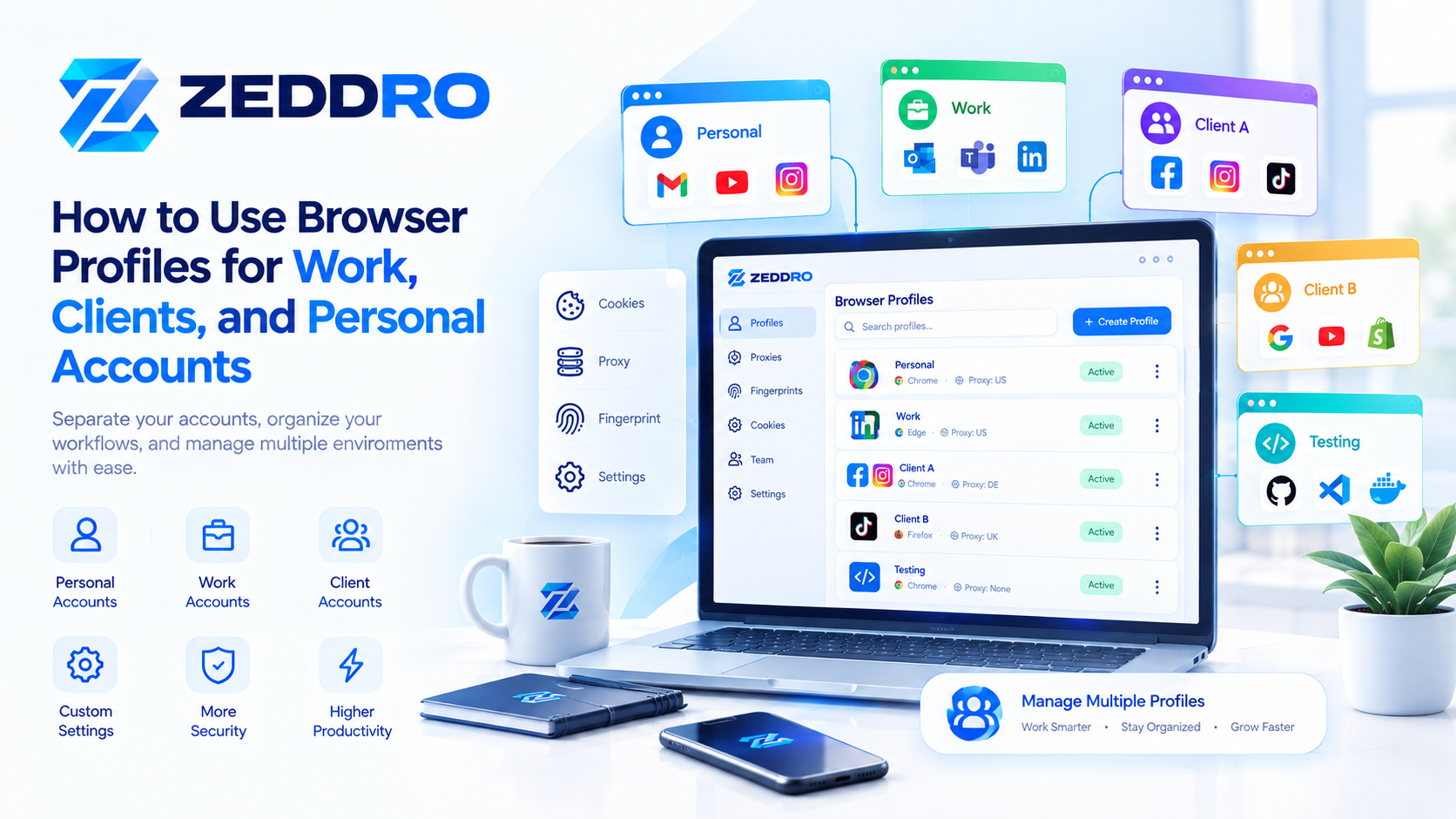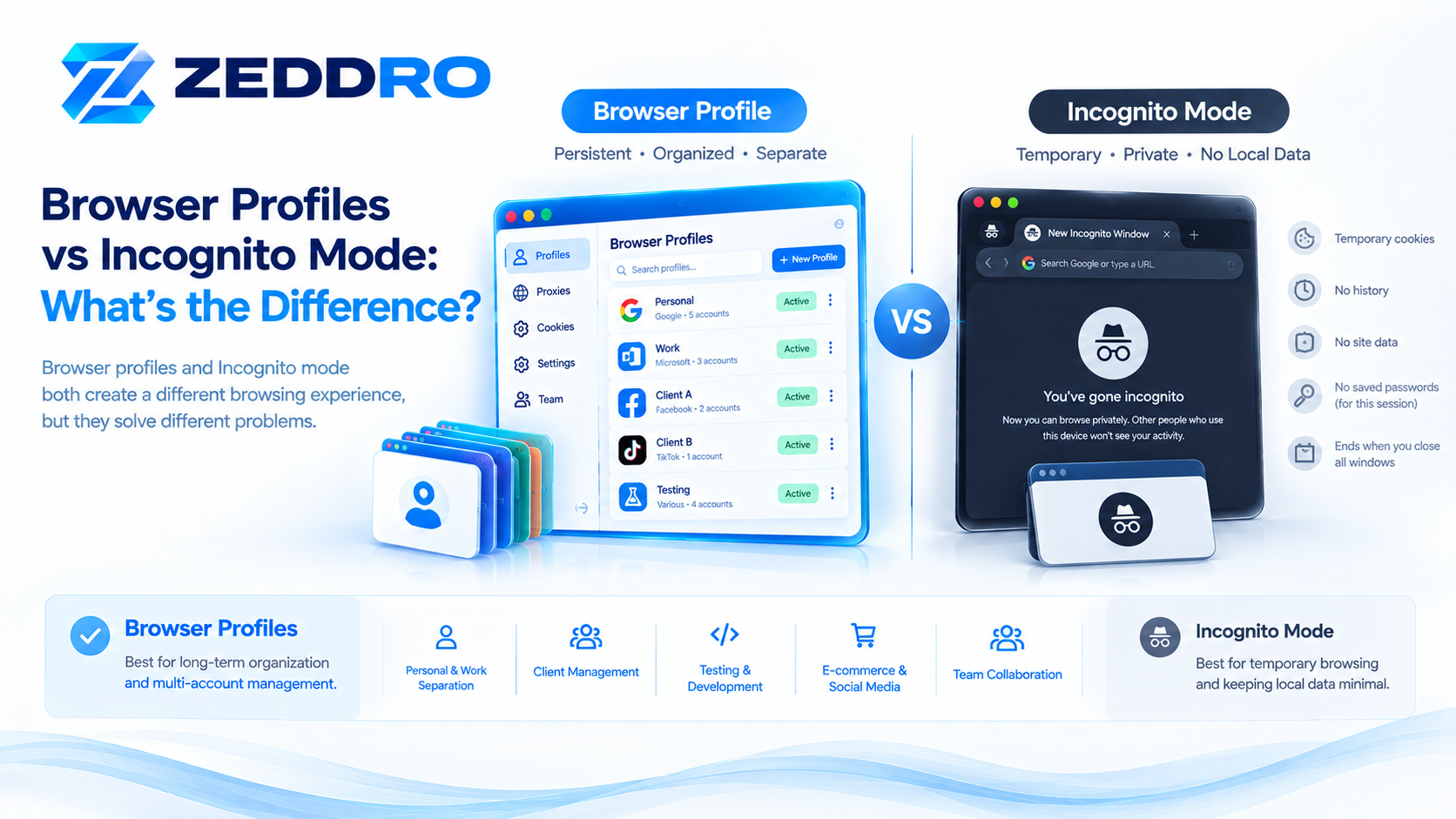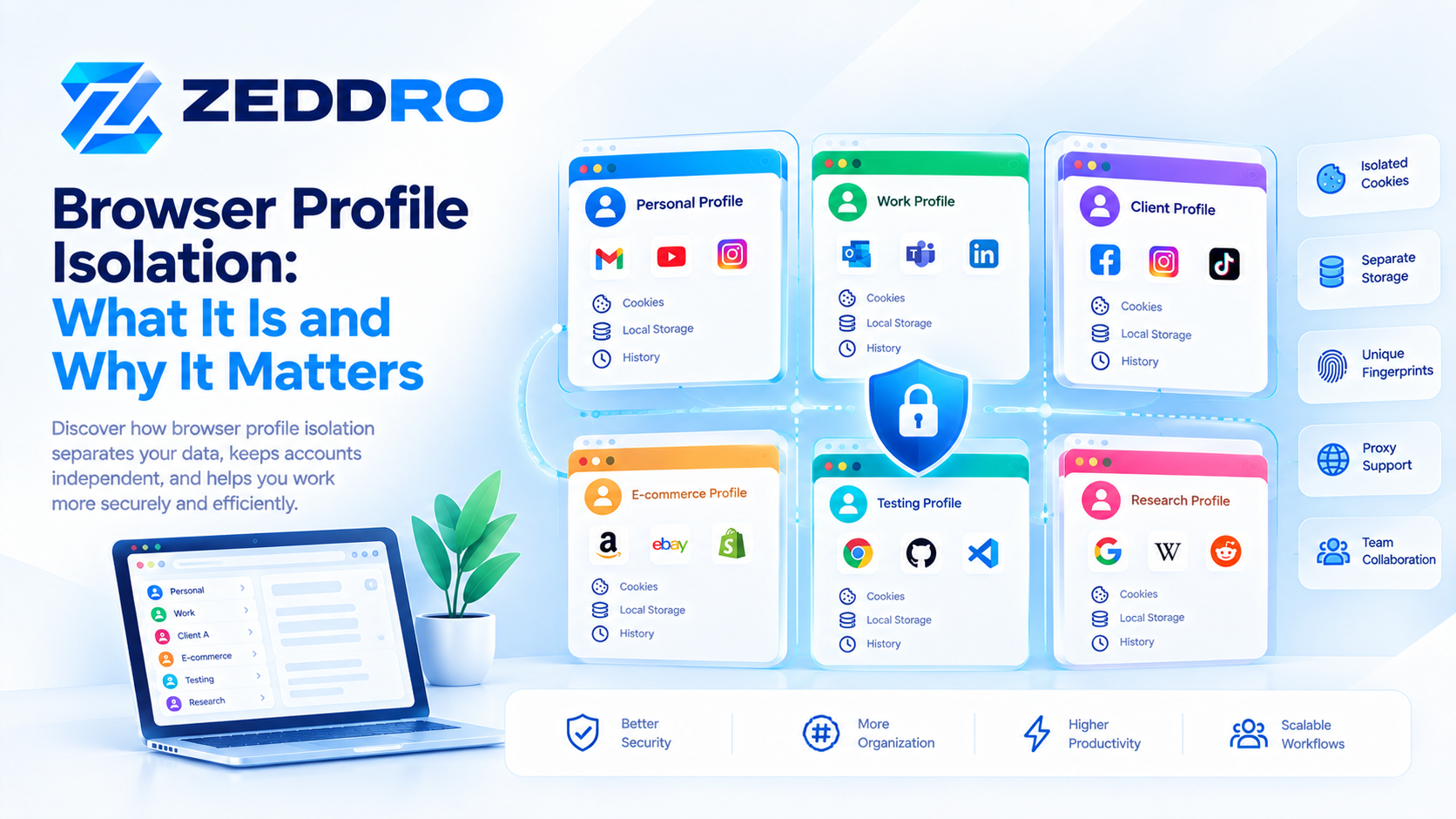
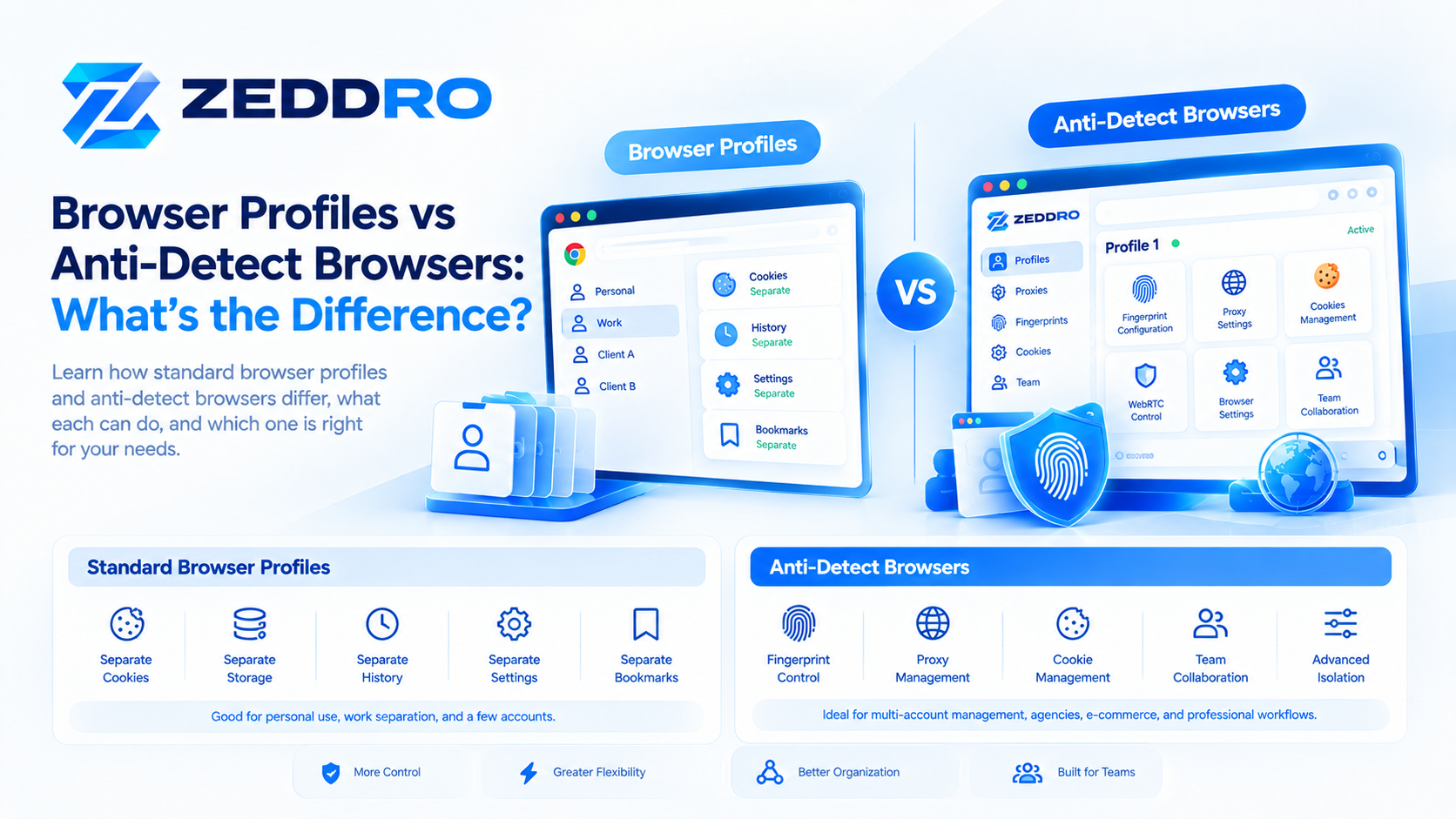
A browser profile separates browser data such as cookies, history, settings, bookmarks, and other stored information.
An anti-detect browser goes further by combining isolated browser profiles with additional controls over browser-environment characteristics, such as fingerprint-related signals, proxies, cookies, and profile configuration.
The two concepts are related, but they are not the same thing.
A standard browser profile is often enough for separating personal and work browsing or managing a small number of accounts. A specialized browser-profile platform becomes more useful when users need centralized management, profile-level proxy configuration, fingerprint controls, session management, or team collaboration.
Understanding this distinction is important because the term "browser profile" is sometimes used interchangeably with "anti-detect browser," even though their capabilities can be very different.
Quick Answer
The simplest way to understand the difference is:
A browser profile separates browser data. An anti-detect browser provides a more controlled browser environment around each profile.
A standard browser such as Chrome allows users to create multiple profiles and keep information such as bookmarks, history, passwords, and settings separate. Google explicitly describes multiple profiles as a way to keep work and personal information apart.
Firefox similarly uses profiles to store bookmarks, passwords, settings, extensions, and browsing data, and supports multiple profiles for separate environments.
Specialized anti-detect platforms build on the profile concept by adding additional layers of browser-environment management.
Browser Profiles vs Anti-Detect Browsers at a Glance
| Capability | Standard Browser Profile | Anti-Detect Browser |
|---|---|---|
| Separate cookies | ✓ | ✓ |
| Separate browsing history | ✓ | ✓ |
| Separate local storage | ✓ | ✓ |
| Separate bookmarks | ✓ | ✓ |
| Separate extensions/settings | ✓ | ✓ |
| Multiple browser environments | ✓ | ✓ |
| Profile organization | Basic | Advanced |
| Proxy per profile | Limited/varies | ✓ |
| Fingerprint configuration | Limited | Advanced |
| Cookie management | Basic | Advanced |
| Profile duplication | Limited | Often available |
| Team collaboration | Usually limited | Often available |
| Profile permissions | Usually limited | Often available |
| Centralized management | Limited | ✓ |
| Profile-level WebRTC controls | Usually limited | May be available |
| Desktop agent | No | May be available |
The exact capabilities depend on the browser and the specialized platform.
What Is a Standard Browser Profile?
A standard browser profile is a separate collection of browser data and settings.
Google Chrome, for example, allows multiple profiles so users can keep information such as bookmarks, history, passwords, and settings separate.
Firefox uses a similar model. Mozilla describes a profile as a collection of personal information and settings, with multiple profiles available for separate environments.
A simplified structure looks like this:
Browser
│
├── Profile A
│   ├── Cookies
│   ├── History
│   ├── Bookmarks
│   ├── Settings
│   ├── Extensions
│   └── Storage
│
└── Profile B
    ├── Cookies
    ├── History
    ├── Bookmarks
    ├── Settings
    ├── Extensions
    └── Storage
The major benefit is separation.
Profile A can be used for one purpose while Profile B is used for another.
Why Do Standard Browser Profiles Exist?
Browser profiles were not originally created specifically for sophisticated multi-account operations.
They solve everyday problems such as:
- Separating personal and professional browsing
- Sharing a computer between users
- Maintaining different bookmarks
- Keeping different histories
- Separating settings
- Using different extensions
- Maintaining different login sessions
For example:
Personal Profile
→ Personal email
→ Shopping
→ Personal social accounts

Work Profile
→ Business email
→ CRM
→ Analytics
→ Company tools
This is one of the primary use cases officially supported by browsers such as Chrome and Firefox.
What Is an Anti-Detect Browser?
An anti-detect browser is a specialized browser or browser-management platform designed to provide greater control over isolated browser environments and the browser characteristics exposed to websites.
Instead of stopping at:
"Keep this profile's cookies separate."
the platform may also provide controls around:
- Browser fingerprint signals
- Proxy configuration
- WebRTC behavior
- Cookies and sessions
- Browser configuration
- Profile-level settings
- Profile organization
- Team permissions
The exact implementation varies between products.
The important distinction is that an anti-detect browser is generally concerned with more than stored browser data.
The Main Difference: Browser State vs Browser Environment
This is probably the most useful distinction to remember.
A standard browser profile primarily separates browser state.
An advanced browser-profile platform can manage a broader browser environment.
Browser state
This includes things such as:
- Cookies
- Local storage
- History
- Bookmarks
- Preferences
- Extensions
- Sessions
Browser environment
This can include:
- Browser configuration
- Operating-system-related signals
- Screen properties
- Canvas behavior
- WebGL characteristics
- Audio-related characteristics
- Navigator properties
- Client Hints
- Fonts
- WebRTC behavior
- Network configuration
Browser fingerprinting works by collecting and combining observable browser and operating-system characteristics. MDN notes that signals can include browser version, time zone, language, fonts, display properties, codecs, and browser settings.
Therefore, simply creating another ordinary browser profile does not automatically mean that every fingerprint-related characteristic becomes different.
Do Browser Profiles Have Different Fingerprints?
Not necessarily.
This is one of the most common misconceptions.
Suppose you create:
Profile A
Profile B
Profile C
in the same standard browser on the same computer.
The profiles can have different:
- Cookies
- History
- Bookmarks
- Local storage
- Settings
But some underlying browser and device characteristics can remain similar.
For example:
Profile A
Cookies → A
Storage → A
History → A

Profile B
Cookies → B
Storage → B
History → B

Underlying device/browser characteristics
→ potentially similar
This is because a browser profile is primarily a data/configuration boundary.
Fingerprinting is a different layer.
What Is Browser Fingerprinting?
Browser fingerprinting refers to collecting and combining characteristics exposed by a browser and its underlying environment.
Possible signals include:
- Browser version
- Operating-system characteristics
- Screen dimensions
- Language
- Time zone
- Fonts
- Graphics characteristics
- Audio characteristics
- Browser settings
- Other browser-exposed properties
MDN describes fingerprinting as combining distinguishing characteristics of a browser and operating system to create a fingerprint that can potentially be used for tracking.
This is why advanced browser-profile management can involve more than cookies and storage.
Why Would Someone Need Fingerprint Management?
There are legitimate reasons to control browser-environment characteristics.
For example:
Testing
Developers may need to reproduce different browser environments.
Privacy research
Researchers may want to study how websites observe browser characteristics.
Advertising operations
Teams may need standardized browser environments for different projects.
Account separation
Organizations may want clearly separated browser environments for different business workflows.
Quality assurance
QA teams may need repeatable browser configurations.
The important point is that fingerprint management should be used responsibly and should not be presented as a guarantee of anonymity or a way to bypass a website's security controls.
Browser Profiles and Proxies
Another important difference is proxy management.
A standard browser profile does not inherently provide a separate network connection.
For example:
Profile A
        ↓
Same network
        ↓
Public IP A

Profile B
        ↓
Same network
        ↓
Public IP A
Both profiles can use the same internet connection.
A specialized platform may allow a proxy to be assigned to an individual profile:
Profile A → Proxy A

Profile B → Proxy B

Profile C → Proxy C
This creates a clearer relationship between a browser environment and its configured network route.
However, a proxy changes the network path; it does not automatically change every browser fingerprint signal.
This is why proxy management and fingerprint management are separate layers.
Browser Profiles and Cookies
Cookies are another major distinction.
A standard profile can maintain its own cookies.
For example:
Profile A
→ Website
→ Session A

Profile B
→ Website
→ Session B
This is useful when legitimate workflows require separate sessions.
Advanced profile platforms can provide additional cookie-management functions such as:
- Cookie import
- Cookie export
- Cookie editing
- Profile-specific cookie storage
- Session management
However, authentication cookies should always be treated as sensitive information because possession of a valid session cookie can sometimes provide access to an authenticated account.
Browser Profiles vs Anti-Detect Browsers: Architecture
A useful mental model is to imagine several layers.
Standard browser
Operating System
       ↓
Browser
       ↓
Profile
       ↓
Cookies / Storage / Settings
       ↓
Website
Specialized profile-management platform
Operating System
       ↓
Management Platform
       ↓
Isolated Browser Profile
       ↓
Fingerprint Configuration
       ↓
Cookies / Storage
       ↓
Proxy / Network Configuration
       ↓
Website
The second architecture gives the user more control over the browser environment.
Profile Isolation
Profile isolation is the foundation of multi-account browser management.
Suppose a user manages four independent projects:
Project A
Project B
Project C
Project D
Using one browser profile for all of them can quickly create a mixed environment:
One Profile
├── Project A cookies
├── Project B cookies
├── Project C cookies
├── Project D cookies
├── Mixed history
├── Mixed extensions
└── Mixed site data
Separate profiles create a cleaner structure:
Profile A → Project A
Profile B → Project B
Profile C → Project C
Profile D → Project D
This can reduce accidental session mixing and make workflows easier to manage.
Why Profile Isolation Matters for Multi-Account Workflows
Imagine switching between two accounts on the same website.
Without separate profiles, you may repeatedly need to:
- Log out
- Log into another account
- Switch back
- Repeat the process
With separate profiles:
Profile A → Account A

Profile B → Account B
Each profile can maintain its own session state.
This is one of the simplest and most practical advantages of multi-profile browsing.
Browser Profiles vs Containers
Browser profiles should also be distinguished from browser containers.
Firefox, for example, currently distinguishes between profiles and Multi-Account Containers.
Mozilla explains that profiles separate a broader set of information, while containers can separate cookies, logins, and site data within a single profile.
Conceptually:
Profile
├── Cookies
├── History
├── Settings
├── Extensions
├── Bookmarks
└── Other browsing data
while:
One Profile
│
├── Container A
│   └── Cookies / Logins / Site Data
│
├── Container B
│   └── Cookies / Logins / Site Data
│
└── Container C
    └── Cookies / Logins / Site Data
Containers can therefore be useful when users want lighter-weight separation without creating completely separate profiles.
When Is a Standard Browser Profile Enough?
A standard browser profile is often the better choice when you simply need:
Personal/work separation
You want your personal and professional browsing kept apart.
A few accounts
You only manage a small number of legitimate accounts.
Different projects
Each project needs separate cookies and browser settings.
Testing
You need a clean browser environment for development.
Shared computer
Different users need separate browser configurations.
In these situations, Chrome or Firefox profiles may provide everything you need.
When Does a Specialized Browser-Profile Platform Make Sense?
A specialized platform becomes more useful when the number or complexity of environments increases.
For example:
- Dozens or hundreds of profiles
- Multiple projects
- Multiple clients
- Profile-specific proxies
- Advanced fingerprint configuration
- Cookie management
- Centralized profile organization
- Team collaboration
- Role-based access
- Profile sharing
- Activity tracking
- Desktop agents
Instead of managing everything manually, the platform becomes a central control layer.
Why Centralized Profile Management Matters
Imagine managing 100 browser profiles manually.
You would need to remember:
- Which profile belongs to which project
- Which cookies belong to which profile
- Which proxy belongs to which environment
- Which team member can access each profile
- Which profiles are active
- Which profiles need updates
A centralized management system can turn this into something more structured:
Workspace
│
├── Client A
│   ├── Profile 01
│   ├── Profile 02
│   └── Profile 03
│
├── Client B
│   ├── Profile 04
│   ├── Profile 05
│   └── Profile 06
│
└── Internal
    ├── Testing
    ├── Research
    └── Administration
This is where profile management becomes an operational tool rather than simply a browser feature.
Team Collaboration
Standard browsers are primarily designed for individual use.
Specialized browser-profile platforms can add team features such as:
- Profile sharing
- Folders
- User roles
- Permissions
- Activity tracking
- Audit logs
This is especially useful for agencies and organizations where multiple people need access to different browser environments.
For example:
Administrator
│
├── Marketing Manager
│   ├── Client A
│   └── Client B
│
├── Operator
│   └── Client A
│
└── Viewer
    └── Reports
This makes browser environments easier to govern.
Fingerprint Consistency Is More Important Than Randomization
One of the most important technical concepts in advanced browser management is consistency.
A fingerprint is not simply one value.
It is a collection of signals that can relate to one another.
For example:
Browser
+
Operating System
+
Client Hints
+
Screen
+
Graphics
+
Audio
+
Fonts
+
Language
+
Time Zone
These signals form a broader environment.
Changing one value without considering the others can create inconsistencies.
This is why advanced browser management should focus on coherent environments, not simply generating arbitrary values.
For more detail, see:
Browser Fingerprint Consistency: Why It Matters
Does an Anti-Detect Browser Make You Anonymous?
No.
This is an important distinction.
An anti-detect browser can provide greater control over a browser environment, but it does not guarantee anonymity.
Websites can use many different sources of information, including:
- Account information
- Cookies
- Network information
- Browser signals
- Authentication
- Behavioral patterns
- Application-specific data
- Server-side information
MDN notes that websites can combine different browser and device characteristics for fingerprinting and tracking.
Therefore, an anti-detect browser should be understood as a browser-environment management tool, not as a universal anonymity system.
Does an Anti-Detect Browser Bypass Website Security?
There is no universal guarantee.
Websites use their own security systems, policies, risk models, authentication mechanisms, and signals.
A browser-profile platform does not override those systems.
For legitimate operations, the better way to think about these tools is:
Controlled browser environments
rather than:
Guaranteed detection avoidance
This distinction also leads to more accurate expectations about what browser-profile technology can actually accomplish.
Browser Profiles vs Anti-Detect Browsers for Agencies
For an agency, the difference can become significant.
Standard browser profiles
Useful for:
- A few clients
- Basic account separation
- Personal/work separation
- Simple workflows
Specialized platform
More useful for:
- Many clients
- Many profiles
- Profile-level proxy configuration
- Centralized management
- Team permissions
- Cookie management
- Fingerprint configuration
- Shared workspaces
A specialized platform can therefore reduce operational complexity as the number of environments grows.
Browser Profiles vs Anti-Detect Browsers for Developers
Developers can benefit from both approaches.
Standard profiles
Useful for:
- Clean testing sessions
- Separate login states
- Different extensions
- Development vs production browsing
Advanced platforms
Useful when testing requires:
- Multiple isolated browser environments
- Repeatable browser configurations
- Different proxy routes
- Specific fingerprint-related configurations
- Large numbers of test profiles
The right choice depends on the complexity of the testing environment.
Browser Profiles vs Anti-Detect Browsers for E-Commerce
E-commerce teams may use separate profiles for different projects or operational environments.
For example:
Store A
→ Profile A

Store B
→ Profile B

Store C
→ Profile C
Each environment can maintain its own sessions, bookmarks, site settings, and project-related data.
When teams operate at larger scale, centralized profile management can make these environments easier to organize.
Browser Profiles vs Anti-Detect Browsers for Social Media Management
Social media teams may manage multiple legitimate accounts or client environments.
Separate browser profiles can help organize:
- Client accounts
- Publishing tools
- Analytics
- Social dashboards
- Client-specific bookmarks
- Login sessions
For larger teams, centralized profile management can add:
- Profile sharing
- User permissions
- Folders
- Team workspaces
- Activity tracking
Again, these tools should be used in accordance with each platform's account and automation policies.
How Zeddro Fits Into This Model
Zeddro is designed to sit beyond the basic browser-profile model.
A conventional browser gives you profiles.
Zeddro combines browser profiles with additional management layers.
Profile management
Create and organize isolated browser profiles.
Fingerprint configuration
Configure browser-exposed characteristics such as Canvas, WebGL, AudioContext, Navigator properties, Client Hints, and related signals.
Proxy management
Assign HTTP, HTTPS, SOCKS4, or SOCKS5 proxies to profiles.
Cookie management
Import, export, and manage profile cookies and sessions.
WebRTC controls
Configure WebRTC behavior at the profile level.
Team collaboration
Invite team members, assign roles, share profiles and folders, and manage permissions.
Desktop agent
Launch isolated Chromium environments from the desktop agent across supported operating systems.
This creates a unified workflow:
                    ZEDDRO
                       │
        ┌──────────────┼──────────────┐
        │              │              │
    Profiles       Fingerprints     Proxies
        │              │              │
     Cookies        WebRTC        Network
        │              │              │
        └──────────────┼──────────────┘
                       │
                Team Management
The objective is not simply to create more browser windows.
It is to make browser environments organized, configurable, and manageable at scale.
Which One Should You Use?
There is no universal answer.
The right choice depends on what you actually need.
| Your Requirement | Recommended Approach |
|---|---|
| Separate personal/work browsing | Standard browser profiles |
| Separate a few accounts | Standard browser profiles |
| Basic testing | Standard profiles |
| Multiple client environments | Specialized profile management |
| Dozens of browser profiles | Specialized platform |
| Profile-level proxy management | Specialized platform |
| Advanced fingerprint configuration | Specialized platform |
| Centralized cookie management | Specialized platform |
| Team profile sharing | Specialized platform |
| Role-based profile access | Specialized platform |
| Large-scale profile organization | Specialized platform |
The simplest solution is usually preferable when it solves the problem.
There is no reason to use a specialized platform if a few ordinary browser profiles are enough.
A Practical Decision Framework
Ask yourself five questions:
1. How many environments do I need?
If you only need two or three, standard browser profiles may be enough.
2. Do profiles need different network configurations?
If yes, profile-level proxy management can become useful.
3. Do I need control over browser-environment signals?
If yes, a specialized platform may be more appropriate.
4. Do multiple people need access?
If yes, centralized team management becomes valuable.
5. Do I need centralized management?
If you're managing dozens or hundreds of profiles, manual browser management quickly becomes difficult.
Common Misconceptions
"An anti-detect browser is just Chrome with multiple profiles."
Not necessarily.
A specialized platform may add fingerprint configuration, proxy management, profile organization, cookie tools, team collaboration, and other functionality.
"A browser profile automatically changes my fingerprint."
No.
Standard profiles primarily separate browser data and configuration. Underlying browser and device characteristics may remain similar.
"An anti-detect browser automatically changes my IP."
No.
Network configuration and browser fingerprint configuration are separate layers.
"Using a proxy means the browser fingerprint no longer matters."
No.
A proxy primarily changes the network path. Websites can still observe browser-side characteristics.
"Changing the fingerprint means cookies no longer matter."
No.
Cookies and fingerprint signals are different layers of browser identity and state.
"Anti-detect means completely anonymous."
No.
No browser-profile technology should be treated as a universal anonymity guarantee.
Frequently Asked Questions
What is the difference between a browser profile and an anti-detect browser?
A browser profile mainly separates browser data and settings. An anti-detect browser adds more extensive controls over browser environments, often including fingerprint-related settings, proxies, cookies, and profile management.
Is Chrome a multi-profile browser?
Yes. Chrome supports multiple profiles and specifically positions them as a way to keep information such as bookmarks, history, passwords, and settings separate.
Does Firefox support multiple profiles?
Yes. Firefox supports multiple profiles, with each profile maintaining its own browsing information and settings.
Do browser profiles have separate cookies?
Yes. Profiles can maintain separate cookies and other site data.
Do browser profiles have different fingerprints?
Not necessarily. A standard profile does not automatically mean that all browser and device fingerprint signals become different.
Does an anti-detect browser change the IP address?
Not automatically. IP/network configuration and fingerprint configuration are separate components.
Is an anti-detect browser the same as a VPN?
No.
A VPN primarily changes the network route and public IP address seen by websites.
An anti-detect browser focuses primarily on browser environments and profile management, although some platforms also provide proxy integration.
Is an anti-detect browser the same as a virtual machine?
No.
A virtual machine virtualizes an operating-system environment, while a browser-profile platform operates at the browser/environment level.
Should I use a browser profile or an anti-detect browser?
If you only need basic separation, a standard browser profile may be enough. If you need centralized management, profile-level proxies, advanced browser-environment configuration, or team collaboration, a specialized platform may be more suitable.
Key Takeaways
The distinction can be summarized in one sentence:
A browser profile separates browser data; an anti-detect browser manages a broader browser environment.
The most important points are:
- Standard browser profiles are excellent for basic separation.
- Chrome and Firefox both support multiple browser profiles.
- Profiles can separate cookies, history, settings, bookmarks, and other browser data.
- A standard profile does not automatically create a completely different fingerprint.
- Fingerprint management is a separate technical layer.
- Proxy management is also a separate layer.
- Advanced platforms combine these layers into centralized profile management.
- Team features become increasingly useful as the number of profiles grows.
- An anti-detect browser does not guarantee anonymity or bypass every website security system.
- The right tool depends on the complexity of the workflow.
Final Takeaway
Browser profiles are a fundamental browser feature designed to keep different browsing environments separate.
For simple requirements, they are often all you need.
But when browser operations become more complex—multiple clients, many profiles, profile-specific proxies, browser-environment configuration, session management, or team collaboration—a specialized browser-profile platform can provide a much more structured solution.
The key is to understand the layers involved:
Profile → Browser State → Fingerprint → Network → Account → Team Management
A standard browser primarily handles the first two.
A specialized platform can bring several of these layers together in one workspace.
That is the fundamental difference between using multiple browser profiles and managing browser environments at scale.
Related Zeddro Articles
Previously published in this cluster
- What Is a Browser Profile? How Browser Profiles Work
- Browser Fingerprint vs Cookies: What's the Difference?
- Browser Fingerprint vs IP Address: What's the Difference?
- Browser Fingerprint Consistency: Why It Matters