When you visit a website, your browser reveals much more than the page you requested.
It can expose information about the browser itself, the operating system, screen configuration, language, time zone, graphics stack, device capabilities, and other observable characteristics.
Individually, many of these signals are relatively ordinary.
The interesting part is what happens when websites combine them.
That combination can create a browser fingerprint: a collection of characteristics that can help a website distinguish one browser environment from another.
In this guide, we'll examine how browser fingerprinting actually works, which signals can contribute to a fingerprint, how websites combine those signals, and why consistency between them matters.
What Is Browser Fingerprinting?
Browser fingerprinting is a technique used to distinguish browsers or devices based on characteristics that can be observed through web requests and browser APIs.
Unlike a traditional cookie, fingerprinting does not necessarily require a website to store a unique identifier on your device.
Instead, a website can collect multiple characteristics and combine them into a recognizable profile.
The World Wide Web Consortium (W3C) describes fingerprinting as the ability to identify or re-identify a user agent through configuration settings or other observable characteristics.
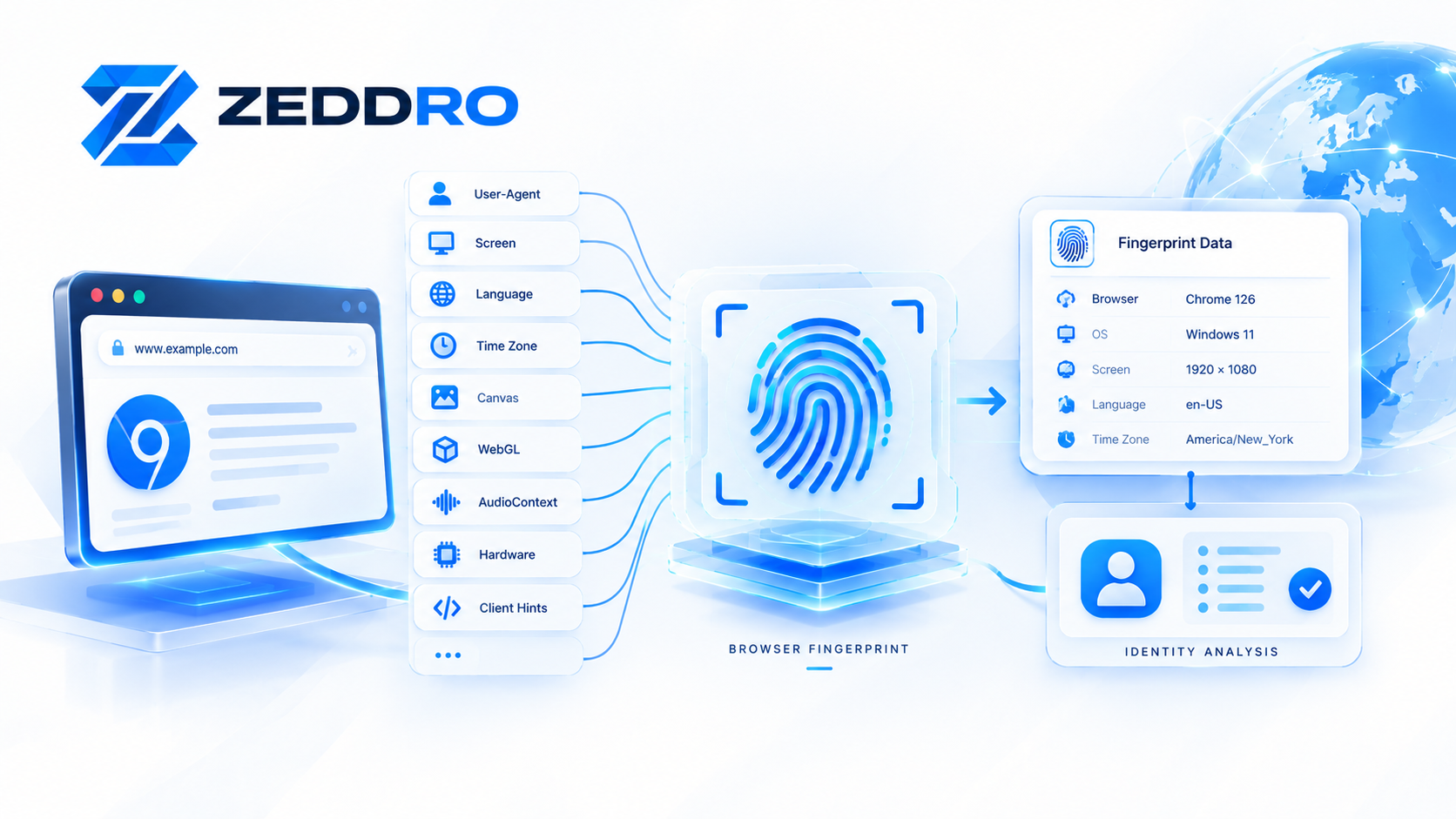
A simplified model looks like this:
Browser → Signals → Collection → Combination → Fingerprint
For example:
Browser
   ↓
User-Agent
Screen
Language
Time Zone
Canvas
WebGL
Audio
Hardware
Client Hints
   ↓
Signal Collection
   ↓
Normalization
   ↓
Combination
   ↓
Browser Fingerprint
The resulting fingerprint isn't necessarily a permanent identifier.
It is better understood as a set of observable characteristics that can help distinguish one browser environment from another.
How Does Browser Fingerprinting Work?
At a high level, fingerprinting happens in several stages.
1. The browser connects to a website
A browser sends an HTTP request to a server.
Among other information, the request can contain headers such as the User-Agent.
The User-Agent historically provides information about the browser, its version, and operating system. Modern browsers have reduced some of the information exposed through traditional User-Agent strings for privacy reasons.
2. The website observes browser characteristics
The page can also use JavaScript and browser APIs to inspect characteristics available to websites.
Depending on browser capabilities and permissions, these can include:
- Screen dimensions
- Color depth
- Language
- Time zone
- Browser capabilities
- Hardware-related information
- Canvas rendering
- WebGL characteristics
- Audio processing behavior
- Installed browser capabilities
- User-Agent information
- Client Hints
Not every website collects every signal.
The available information also varies between browsers, operating systems, privacy settings, and devices.
3. Signals are normalized
Raw browser information isn't always directly useful.
A fingerprinting system may normalize collected values into a consistent format.
For example:
1920 × 1080could become:
screen_width = 1920
screen_height = 1080
Likewise:
Windows 11could be represented internally as:
platform = windowsNormalization makes it easier for a system to compare different browser observations.
4. Multiple signals are combined
This is one of the most important concepts in fingerprinting.
A single characteristic usually isn't enough to uniquely distinguish a browser.
Millions of users can have:
- Chrome
- Windows
- 1920×1080 screens
- English
- similar hardware
But the combination of many characteristics can become considerably more distinctive.
Conceptually:
Browser
+
Operating System
+
Screen
+
Language
+
Time Zone
+
WebGL
+
Canvas
+
Audio
+
Hardware
+
Other Signals = Fingerprint
The more information a fingerprinting system can reliably observe, the more characteristics it has available for comparison.
The Main Components of a Browser Fingerprint
There isn't one universal list of fingerprint signals.
Different browsers and websites expose different information.
However, several categories appear repeatedly in fingerprinting research and implementations.
1. User-Agent and Browser Information
The User-Agent identifies the requesting browser and provides information about the browser environment.
A simplified example might look like:
Mozilla/5.0
Windows NT 10.0
Win64; x64
Chrome/...
Modern browsers have reduced the amount of detailed information exposed through traditional User-Agent strings.
For Chromium-based browsers, websites can also use User-Agent Client Hints.
Client Hints allow servers to request certain browser or platform information through dedicated HTTP headers. MDN notes that Client Hints divide information into lower- and higher-entropy categories, with higher-entropy information subject to additional controls.
This evolution is important because browser fingerprinting is not a static technology.
The signals available today are different from those available several years ago.
2. Screen Characteristics
Screen configuration can provide additional information.
Examples include:
- Screen width
- Screen height
- Available width
- Available height
- Device pixel ratio
- Color depth
- Pixel depth
For example:
Screen:       1920 × 1080
Pixel Ratio:  1
Color Depth:  24
A single screen value isn't particularly identifying.
Its value increases when combined with other signals.
3. Language and Locale
Browsers can expose language-related information such as:
en-USor:fr-FR
A website may also observe language preferences through HTTP headers and browser APIs.
Language becomes more interesting when compared with other characteristics.
For example:
Language: en-US
Time Zone: America/New_York
Platform: Windows
may form a more coherent environment than a contradictory combination such as:
Language: ja-JP
Time Zone: Europe/Paris
Platform: Windows
The important concept here is relationship between signals, not any individual value.
4. Time Zone
Time zone information can provide another browser-environment signal.
For example: America/New_York or: Europe/London
Time zone is particularly interesting when compared with:
- IP geolocation
- Language
- Locale
- Operating system
- Browser configuration
A fingerprinting system can therefore evaluate not only individual values but also whether the values make sense together.
5. Canvas Fingerprinting
Canvas fingerprinting is one of the best-known browser fingerprinting techniques.
The basic idea is relatively simple.
A website asks the browser to render specific graphical content using the HTML Canvas API.
The resulting rendering can then be processed into a value that represents characteristics of the rendering environment.
Different combinations of:
- Operating system
- Browser
- Graphics hardware
- Drivers
- Rendering implementation
- Browser configuration
can produce differences in the resulting output.
A simplified process looks like:
Website
   ↓
Canvas drawing instructions
   ↓
Browser rendering engine
   ↓
Graphics stack
   ↓
Rendered output
   ↓
Hash / comparison value
The resulting value is not necessarily a permanent identity.
Rather, it is another signal that can contribute to a larger fingerprint.
6. WebGL Fingerprinting
WebGL provides another important source of browser and graphics information.
WebGL allows websites to use the device's graphics capabilities through browser APIs.
A fingerprinting system may observe characteristics related to the graphics environment, such as:
- Renderer
- Vendor
- Supported capabilities
- Rendering behavior
- WebGL-specific values
A simplified model is:
WebGL API
     ↓
Browser
     ↓
Graphics Driver
     ↓
GPU / Rendering Stack
     ↓
Observable Characteristics
Because graphics hardware and software configurations vary, WebGL can contribute useful information to a browser fingerprint.
7. AudioContext Fingerprinting
AudioContext fingerprinting uses the browser's audio-processing capabilities as another potential signal.
Instead of listening to a user through a microphone, the technique can involve generating and processing audio data inside the browser.
The resulting output can vary depending on aspects of the browser and underlying system.
Conceptually:
Audio Processing
       ↓
Browser Audio Stack
       ↓
Processing Result
       ↓
Fingerprint Signal
Audio information is generally not used in isolation.
It becomes more useful when combined with other signals.
8. Browser Capabilities and APIs
Websites can also observe which browser features are available.
For example, a website may evaluate support for particular APIs, capabilities, or browser features.
This can create a capability profile:
Feature A → Available
Feature B → Available
Feature C → Not available
Feature D → Available
The combination can help distinguish different browser environments.
This is one reason why a browser fingerprint isn't simply a string.
It can be a multi-dimensional representation of the browser environment.
9. Hardware-Related Signals
Depending on the browser and available APIs, websites may also observe certain hardware-related characteristics.
Examples can include:
- Hardware concurrency
- Device memory
- Touch capabilities
- Graphics information
- Display characteristics
Not every browser exposes all of these values.
Modern privacy changes increasingly limit or reduce certain forms of passive information exposure.
10. Client Hints
Client Hints are particularly important in modern browser fingerprinting.
Traditional User-Agent strings have been reduced in detail, while Client Hints provide a structured mechanism for requesting additional information.
For example, Chromium-based environments can provide hints related to:
- Browser brand
- Browser version
- Operating system
- Mobile status
- Architecture
- Platform details
MDN describes Client Hints as a mechanism through which servers can proactively request information about the user agent, device, network, or user preferences.
The important distinction is that not every piece of information is automatically exposed.
Some higher-entropy information is subject to additional browser controls.
How Fingerprint Signals Become Useful Together
This is where browser fingerprinting becomes much more interesting.
Imagine two browser environments.
Environment A
Browser: Chrome
OS: Windows
Screen: 1920×1080
Language: en-US
Time Zone: America/New_York
WebGL: Renderer A
Canvas: Value A
Audio: Value A
Environment B
Browser: Chrome
OS: Windows
Screen: 1920×1080
Language: en-US
Time Zone: America/New_York
WebGL: Renderer B
Canvas: Value B
Audio: Value B
The first five characteristics are identical.
But the remaining signals differ.
A fingerprinting system can therefore use the broader combination of signals to distinguish the environments.
This is why fingerprint uniqueness is not determined by one setting.
It is a property of the overall combination.
What Is Fingerprint Entropy?
Fingerprint entropy describes, roughly, how much distinguishing information a signal or combination of signals provides.
A signal shared by almost everyone contains relatively little distinguishing information.
A rare combination can contain much more.
For example: Chrome
is extremely common. But:
Browser + OS + Screen + Language + Time Zone + WebGL + Canvas + Audio + Hardwarecan represent a much more specific combination.
A useful way to think about it is:
The more unusual and informative a combination of signals is, the more distinguishing power it may have.
However, high entropy is not automatically equivalent to a unique permanent identity.
Fingerprinting systems work with probabilities, comparisons, and observations rather than a universal "fingerprint number" that is guaranteed to identify one person forever.
Browser Fingerprinting Is About Consistency, Not Just Randomness
This is one of the most misunderstood aspects of fingerprinting.
It is tempting to think:
"If every browser value is randomized, the browser becomes harder to identify."
That isn't necessarily true.
Suppose a browser reports:
Operating System: Windows
Language: en-US
Time Zone: America/New_York
but simultaneously exposes characteristics that strongly resemble another operating system or geographic environment.
The resulting profile may become internally inconsistent.
A fingerprinting system can look for these relationships.
For browser environments that require controlled identities, the objective is therefore not simply:
"Change everything."
It is closer to:
"Maintain a coherent set of characteristics."
This distinction becomes particularly important when managing multiple isolated browser profiles.
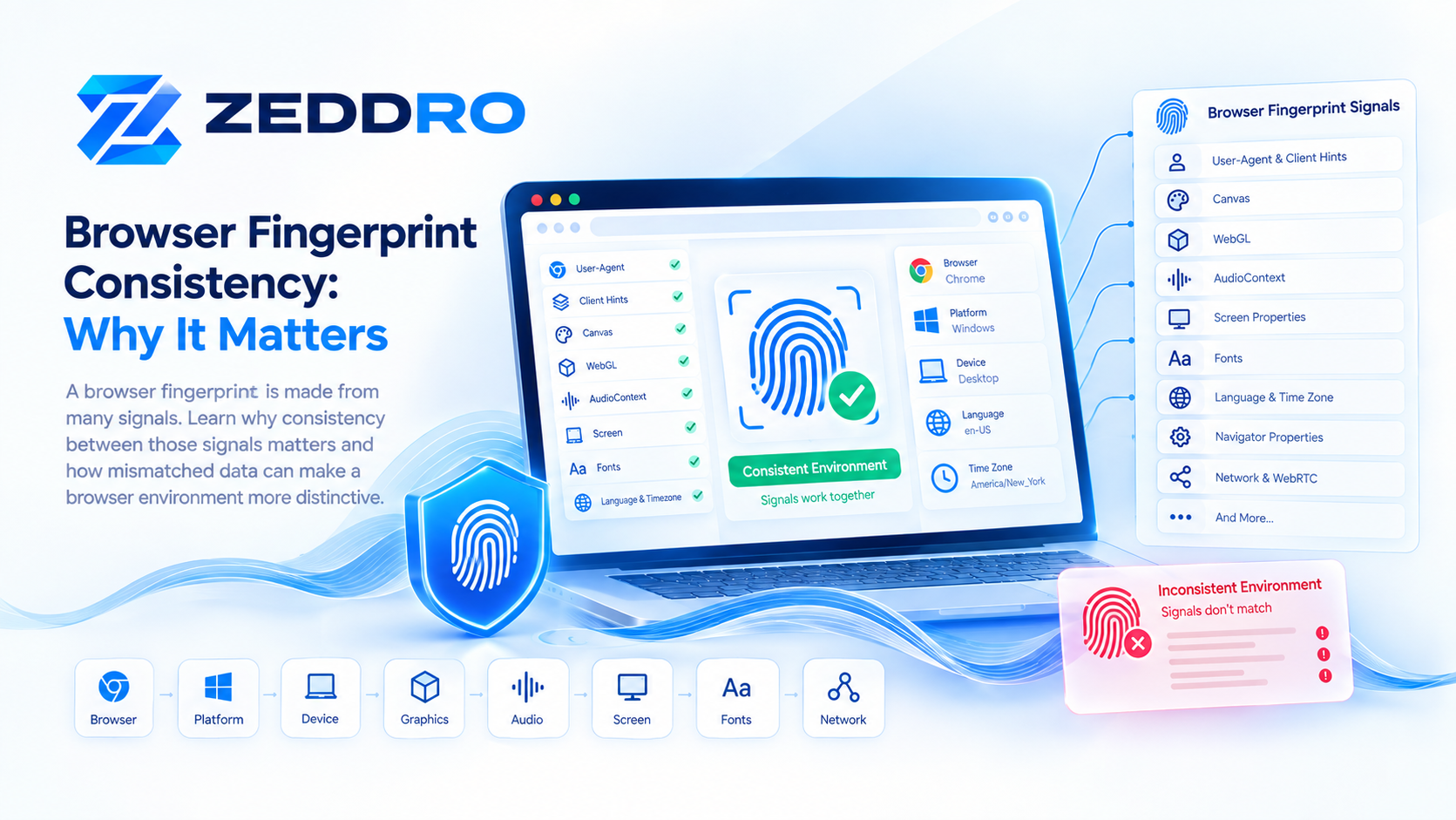
What Is Fingerprint Consistency?
Fingerprint consistency means that the different signals exposed by a browser environment form a plausible and stable combination.
For example:
Browser
    ↓
Operating System
    ↓
Screen
    ↓
Graphics
    ↓
Language
    ↓
Time Zone
    ↓
Hardware
These values should not behave like unrelated random variables.
A consistent browser profile should behave like a single coherent environment.
Why Fingerprint Consistency Matters
Consider a browser profile that reports:
Windows
Chrome
1920×1080
English
New York Time Zone
Then suppose its graphics characteristics suddenly change dramatically during another session.
Or the browser reports a different combination of device capabilities.
The problem isn't necessarily that one value changed.
The problem is that the overall identity changed.
For legitimate applications such as testing, account separation, research, QA, or multi-project browser management, maintaining predictable browser environments can be valuable because each profile represents a controlled environment rather than a constantly changing configuration.
Can Websites Detect Fingerprint Changes?
Potentially, yes.
A website can compare observations made during different visits or sessions.
For example:
Session 1 Fingerprint → A

Session 2 Fingerprint → A

Session 3 Fingerprint → A

Session 4 Fingerprint → B
The change from A to B can become an observable event.
However, that does not automatically mean a website knows exactly why the change occurred.
It may be caused by:
- Browser update
- Operating system update
- Hardware change
- Browser settings
- Different device
- Privacy protections
- Different network or environment
- Changes in available browser APIs
Fingerprinting is therefore probabilistic rather than magical.
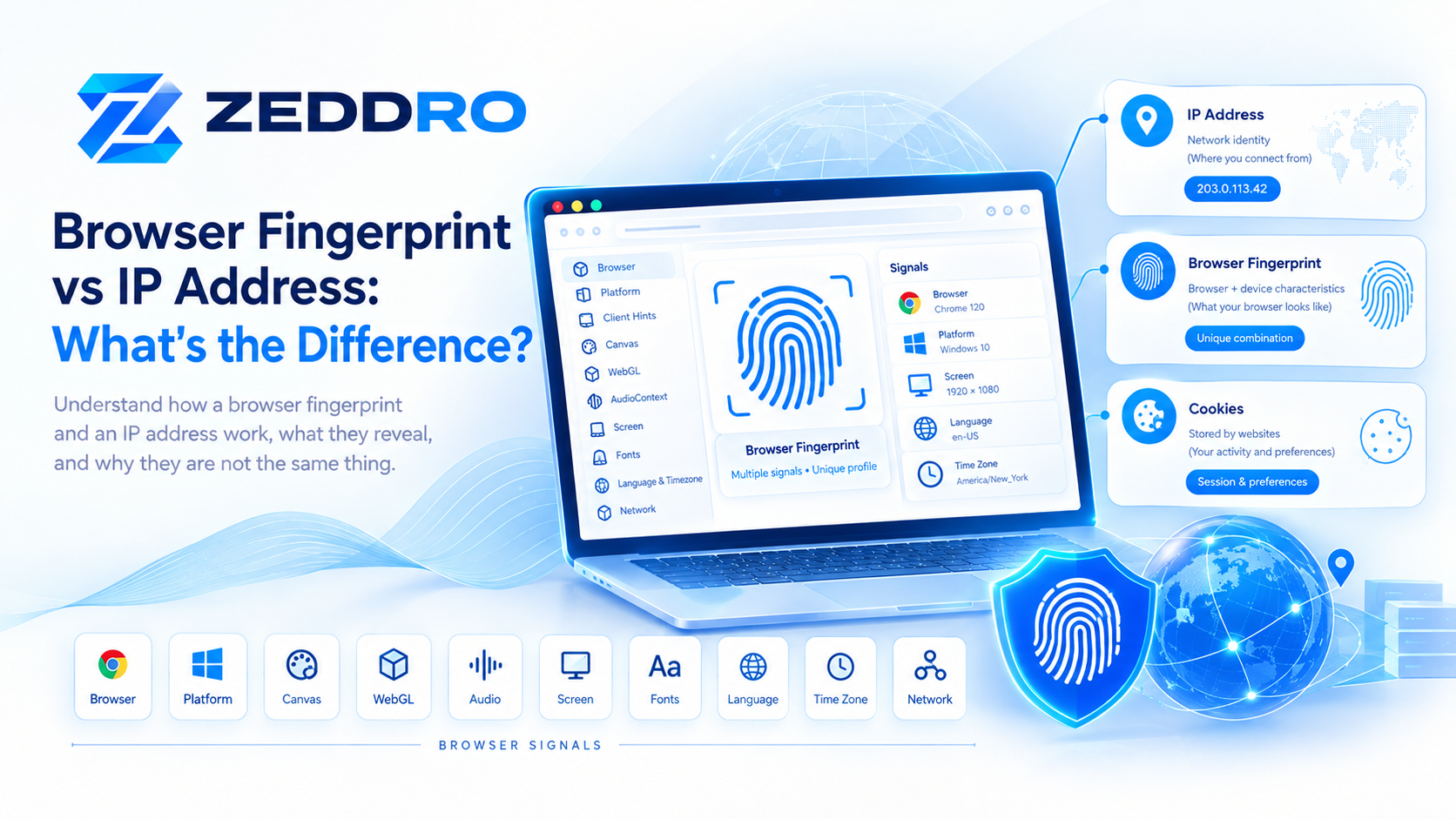
Browser Fingerprint vs IP Address
A browser fingerprint and an IP address represent different layers of identity.
| Signal | What it represents |
|---|---|
| IP address | Network connection |
| Browser fingerprint | Browser/device characteristics |
| Cookie | Stored identifier |
| Account | Application-level identity |
| Login session | Authenticated state |
Changing an IP address does not automatically change the browser's fingerprint.
Likewise, changing a browser fingerprint does not automatically change the network identity.
This is why thinking about online identity as a stack of multiple layers is more useful than treating one signal as the entire identity.
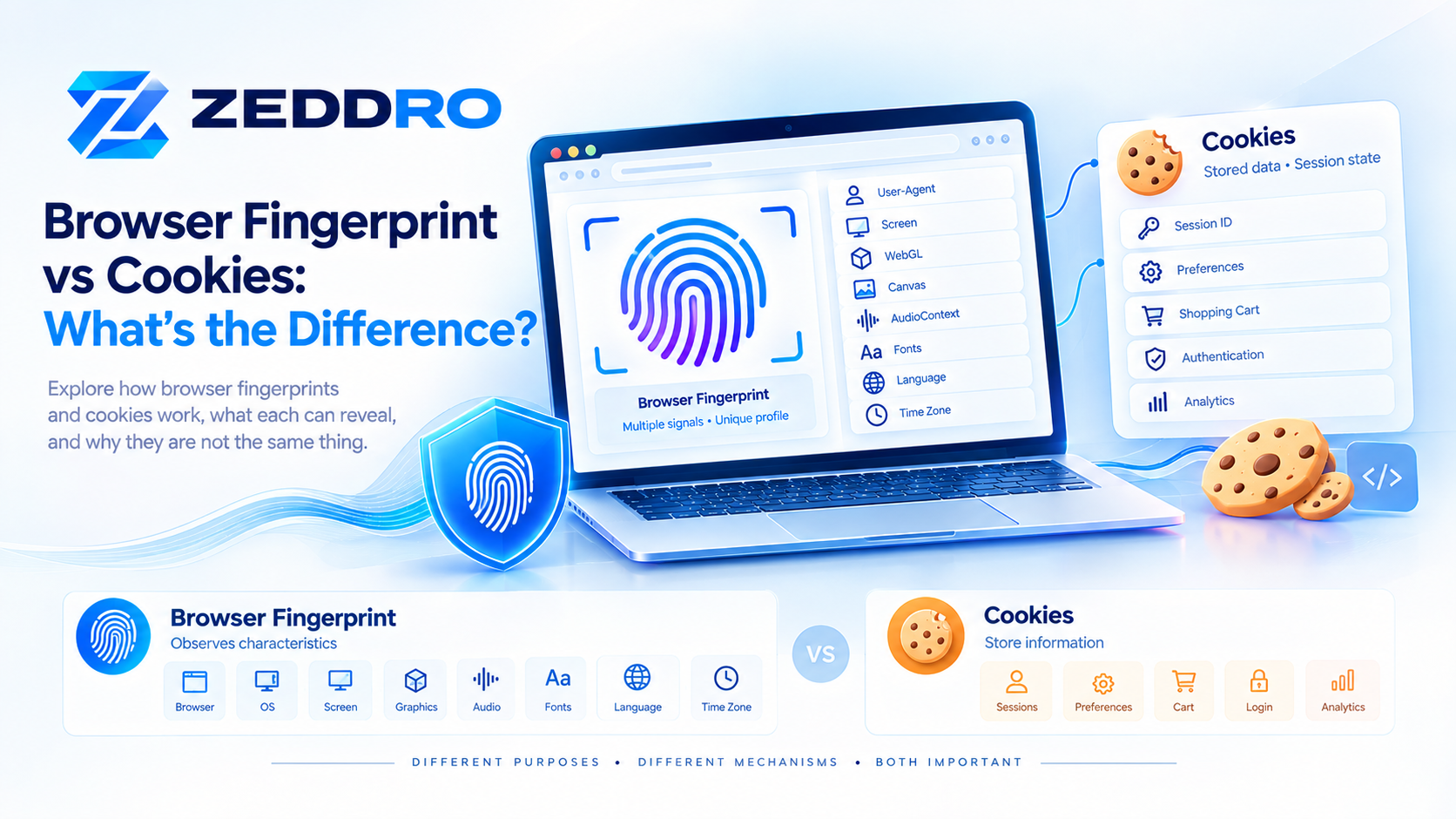
Browser Fingerprint vs Cookies
Cookies and fingerprints are also fundamentally different.
Cookies
A website can store an identifier:
user_id = 839274...The browser then sends that identifier back to the website.
Fingerprinting
The website instead observes characteristics:
Browser + Screen + Graphics + Language + Time Zone + Other Signalsand uses the combination for recognition or comparison.
A fingerprint does not require the exact same storage mechanism as a cookie.
This is one reason browser fingerprinting has become an important privacy topic. The W3C specifically treats exposure of browser settings and characteristics as a privacy consideration.
How Modern Browsers Are Changing Fingerprinting
Browser fingerprinting is an evolving field.
Browsers increasingly try to reduce unnecessary information exposure.
One example is User-Agent reduction, which reduces the amount of information traditionally included in User-Agent strings.
Another is the use of Client Hints, which allows browsers to provide certain information through a more structured mechanism and apply additional controls to higher-entropy data.
The result is a continuous balance between:
Website functionality
and
User privacy
Browsers need to expose enough information for websites to function correctly, while limiting unnecessary information that can contribute to tracking or fingerprinting.
The W3C's fingerprinting guidance reflects this broader tension between useful browser capabilities and privacy protection.
What Does an Anti-Detect Browser Actually Change?
An anti-detect browser is designed to provide isolated browser environments where different profiles can have controlled browser characteristics.
Instead of having one browser environment:
Computer
   ↓
One Browser Identity
the user can manage multiple isolated environments:
Computer
 ├── Profile A
 ├── Profile B
 ├── Profile C
 ├── Profile D
 └── Profile E
Each profile can have its own configuration and associated browser state.
The technical challenge isn't simply changing values.
The important part is maintaining coherent, stable browser environments.
Fingerprint Randomization vs Fingerprint Isolation
These two concepts are often confused.
Fingerprint Randomization
Attempts to alter one or more observable characteristics.
For example:
Canvas → changed
WebGL → changed
Audio → changed
Fingerprint Isolation
Keeps browser environments separated so that one profile's browser state and characteristics don't unintentionally become mixed with another profile.
Conceptually:
Profile A
Fingerprint A
Cookies A
Storage A
Proxy A
≠
Profile B
Fingerprint B
Cookies B
Storage B
Proxy B
For multi-profile browser environments, isolation is often more important than simply generating random values.
The Browser Identity Stack
A useful way to understand modern browser identity is to visualize it as multiple layers.
┌───────────────────────────┐
│       Account / Login     │
├───────────────────────────┤
│       Cookies / Storage   │
├───────────────────────────┤
│       Browser Profile     │
├───────────────────────────┤
│       Fingerprint Signals │
├───────────────────────────┤
│       Browser / OS        │
├───────────────────────────┤
│       Network / IP        │
└───────────────────────────┘
No single layer completely defines online identity.
Instead, websites can evaluate multiple layers simultaneously.
This is why browser identity management is more complicated than simply changing an IP address or opening an incognito window.
Does Incognito Mode Change Your Browser Fingerprint?
Generally, no.
Incognito or private browsing primarily changes how the browser handles local browsing data and sessions.
It does not turn the browser into an entirely different hardware and software environment.
The browser can still expose characteristics associated with:
- Browser
- Operating system
- Screen
- Graphics
- Language
- Time zone
- Browser capabilities
Therefore:
Private browsing ≠ fingerprint isolation
and:
Private browsing ≠ multiple independent browser identities
How Zeddro Approaches Browser Fingerprint Management
Zeddro is designed around the concept of isolated browser profiles.
Instead of treating fingerprinting as a single value that can simply be randomized, Zeddro approaches browser identity as a collection of related characteristics.
Depending on the profile configuration, this can include areas such as:
- Canvas
- WebGL
- AudioContext
- Navigator properties
- Plugins
- Platform information
- Client Hints
- Function behavior
- Browser profile state
The goal is to provide a controlled browser environment where profile-specific characteristics can remain isolated and consistent.
For professionals managing multiple browser environments, this approach can be useful for legitimate workflows such as:
- Multi-account management
- Client account separation
- Advertising operations
- E-commerce management
- QA and browser testing
- Web research
- Automation workflows
- Team-based browser environments
The important principle is simple:
A browser profile should behave like a coherent environment, not a collection of unrelated random values.
The Future of Browser Fingerprinting
Browser fingerprinting will continue to evolve as browser vendors introduce stronger privacy protections.
We are likely to see continued development around:
- Reduced User-Agent information
- Client Hints
- Privacy-preserving browser APIs
- Anti-fingerprinting techniques
- More sophisticated detection systems
- Better isolation mechanisms
- Increased scrutiny of high-entropy signals
This means browser fingerprinting should not be treated as a fixed checklist.
The specific signals available today may change as browsers change.
The more durable concept is the underlying model:
Websites observe browser characteristics → combine signals → compare environments → infer similarity or difference.
Browser Fingerprinting: The Short Version
If you remember only a few things from this article, remember these:
- Browser fingerprinting uses observable browser characteristics to distinguish environments.
- A fingerprint is usually composed of multiple signals rather than one value.
- Signals can include browser, screen, language, time zone, Canvas, WebGL, AudioContext, hardware and Client Hints.
- The combination of signals is often more important than any individual signal.
- Fingerprint entropy describes how much distinguishing information a combination may provide.
- Changing an IP address does not automatically change a browser fingerprint.
- Incognito mode does not create a completely different browser identity.
- Randomization and consistency are not the same thing.
- Modern browser privacy changes are reducing or controlling some fingerprinting signals.
- For isolated browser environments, coherent and stable profiles are more meaningful than simply changing values at random.
Frequently Asked Questions
What is browser fingerprinting?
Browser fingerprinting is a technique that uses observable browser and device characteristics to distinguish or recognize browser environments.
How does browser fingerprinting work?
A website collects available browser signals, such as User-Agent information, screen characteristics, graphics behavior, language and other browser properties, and can combine them into a fingerprint.
What information can be used for browser fingerprinting?
Potential signals include browser and OS information, screen configuration, language, time zone, Canvas, WebGL, AudioContext, hardware-related characteristics, browser capabilities and Client Hints.
Does changing my IP change my browser fingerprint?
No. An IP address and a browser fingerprint represent different layers of an online environment. Changing one does not automatically change the other.
Does incognito mode prevent fingerprinting?
No. Private browsing can change local storage and browsing-session behavior, but it does not necessarily hide the browser's observable characteristics.
Is browser fingerprinting the same as cookies?
No. Cookies use stored identifiers, while fingerprinting relies on observable characteristics of a browser environment.
What is fingerprint entropy?
Fingerprint entropy is a way of describing the amount of distinguishing information provided by a signal or combination of signals.
Why is fingerprint consistency important?
A consistent fingerprint means the observable characteristics of a browser environment form a stable and coherent combination. Inconsistent signals can make an environment appear unusual or change between sessions.
Final Takeaway
Browser fingerprinting is best understood as a system of signals, not a single identifier.
A website can observe many characteristics of a browser, combine them, and compare the resulting profile with previous observations.
The technology is also changing.
Browser vendors are reducing unnecessary information exposure, introducing mechanisms such as User-Agent Client Hints, and developing new privacy protections.
For anyone working with browser profiles, privacy, web automation, account separation, or browser testing, understanding this underlying architecture is more useful than focusing on one individual fingerprinting technique.
The key idea is simple:
Browser identity is a combination of signals, and consistency between those signals matters.